I regularly go through this forum, I found it very helpful and knowledgeable too.
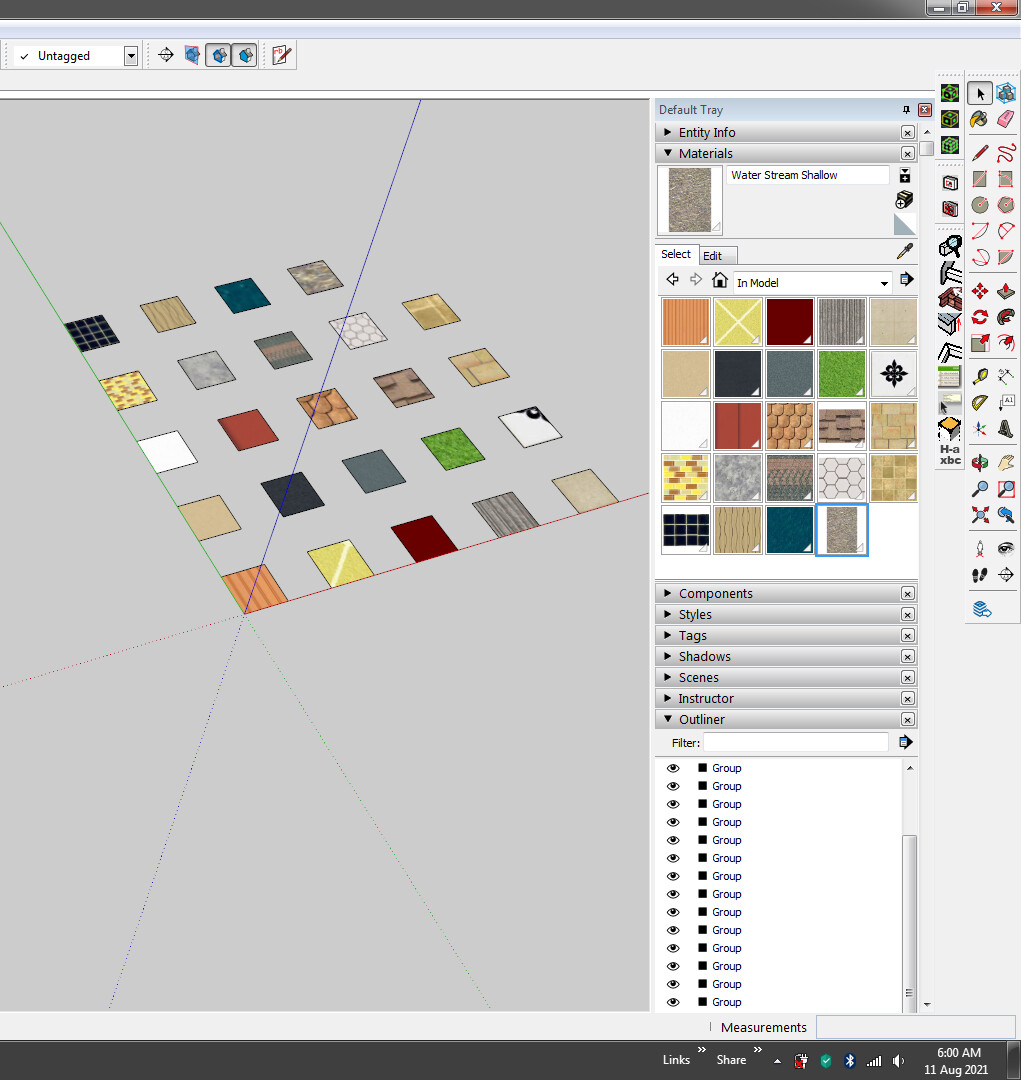
I need your help regarding following things. I’ve created the code but unable to assign the materials from IN MODEL to identical groups on view port. so i request you to please help me to solve this issue.
        n = count
        #r = n / 4
        s = 24
        w = 12

        (0..n-1).each { |i|

        points = [
		  Geom::Point3d.new( 0,  0, 0),
		  Geom::Point3d.new(12,  0, 0),
		  Geom::Point3d.new(12, 12, 0),
		  Geom::Point3d.new( 0, 12, 0),
		]

        group = entities.add_group
        face = group.entities.add_face(points).reverse! #.pushpull 12

       # Applying Material
#       group.material= "red"


        new_transformation = Geom::Transformation.new([i*s,0,0])
        group.transformation = new_transformation

        # Select
        selection.add(group)

        }
… except that (in the first snippet) you won’t have a reference to the group’s material object unless you do …
matl = group.material= "red"
Why is not working for you? It works fine for me.
Are you sure that you have the correct rendering options set to show materials ?
You must have rendering set to “Shaded” or “Shaded (with Textures)” to see see the colors of materials. (The latter if your materials are using image textures.)
Check your Face Style setting beneath the View menu.
Now actually create square face in group and apply these materials individually group.
but i don’t want to apply UV mapping. just we regular apply paint bucket tool.
Actually why i want this script when i was cross 50 materials in this scene and when applying manually created group and then 5-4 material was miss out.