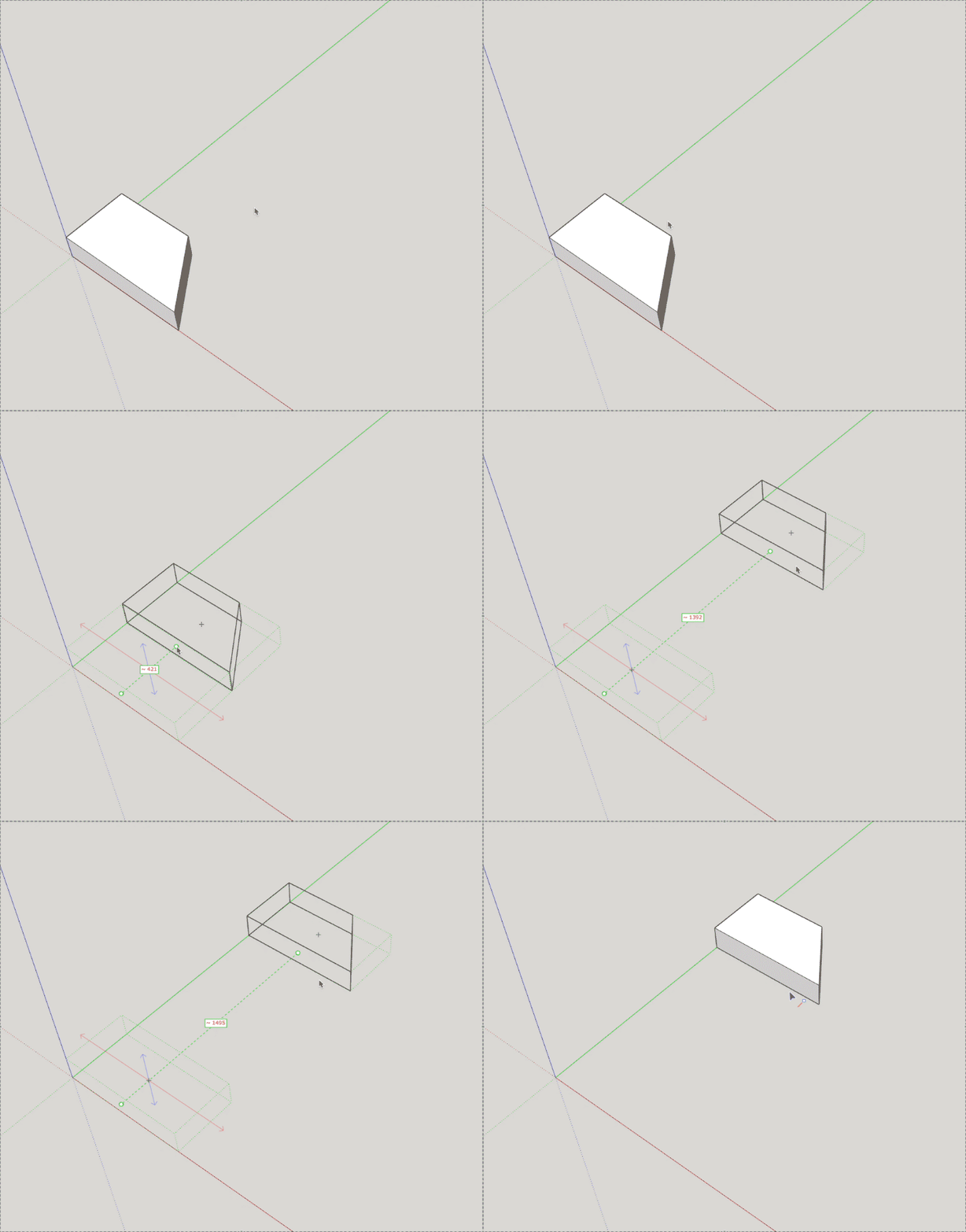
In a customized move tool, I would like to hide the moved component instance until the user click on the destination point to be able to draw only its skeleton.
I tried the following trick :
instance.move!(Geom::scaling(0.0))
It seems to work as expected on current SketchUp versions, but it uses a null matrix that may be a problem for the future.
Did someone find a better way to temporarily hide a component instance ?
one idea:
You can start_operation on the first click and hide the instance.
Then on a second click abort_operation then make start_operation again followed by transforming the instance into place. than commit_operation. In a meantime put abort_operation within onCancel(reason, view) method so if the user hit Escape or other reason, the hidden will be revoked.
Something like this (it is just a concept, did not tried…)
class ExampleTool
  def initialize
    @stage = 0
  end
  def onCancel(reason, view)
    view.model.abort_operation
    @stage = 0
    view.invalidate
  end
  def onLButtonDown(flags, x, y, view)
    if @stage == 0
      view.model.start_operation("hide")
      @instance.hidden = true
      @stage += 1
    else
      view.model.abort_operation #this will unhide the instance
      view.model.start_operation("move")
      #transform instance to place
      view.model.commit_operation
    end
    view.invalidate
  end
  def onMouseMove(flags, x, y, view)
    #calculatet the trnsformation...etc
  end
  def draw(view)
    # draw the bounds of instance if stage not 0
  end
end
By the way, you can move the instance constantly - by set transformation in onMouseMove -using a similar method and you don’t have to hide it and don’t need to draw temporarily bounds…
BTW. I wery much like your trick with instance.move!(Geom::scaling(0.0)) !!!
Of course, it would be nice if we could apply it to just one instance in Ruby, like the Move Tool is doing it… (Changing the material and back of each face would be too intensive task for pure Ruby, I think.)
Cleanest way right now is probably to erase it and then recreate it. Doesn’t work with groups though as their definition would be automatically removed if there are no other instances . Maybe delete it and then undo the deletion at the end of the tool operation, but it’s still a quite ugly hack.
The cleanest way would be to have API that achieves the higher level goal without any hacks. Feel free to log a feature request for excluding given entities from InputPoint picking and makign individual entities X-ray like in native Move or Rotate in the GitHub issue tracker.
New API has a long delay (if it’s ever added) and the hacky hack needs to remain for compatibility with older SketchUp versions, but long term it’s easier to use and less work to maintain.
I completely agree. And I’m glad to see that, after so many years, there are still some great improvements being proposed for the API.
But I’m worried that if my request doesn’t lead to a fix today, it won’t be convincing enough to create a new feature tomorrow.
I know that request list is important for the team. But for others, adding requests to this list could ends up being a frustrating experience. We never seem to get a lot of feedback on whether our requests are being considered or what the future development plans for the software are.
It is certainly more sensible to develop my features today based on what already exists and will continue to exist. Or remove this kind of feature …
It doesn’t need to be one or another. You can use a workaround/hack for the time being and also log a request for a more proper and future proof approach.
Having a feature request from an API user makes it easier for us at Extensibility to prioritize and get a feature added.
Here are examples of feature requests replacing hacks:
Reading the GUID of an external file was first done with a little hack but once the hack broke due to a new file format, official API was added in the same release. There was no interuption when it could not be done.
Considering the effort to log and document an issue, and the effort to fix / implement the code by the Sketchup development team, I think it is not too much asking for a closure post at the end of the thread giving some explanations and directions. These issues can be read by script developers years after they have been logged.
I do not disagree that this would be helpful, especially because the issue opener and other contributors are likely to be notified.
I think currently that the closure and labeling is done by a CI bot.
I had also previously asked for manual closing when “will not implement” / “will not fix” to give a reason. Many of these have no reasoning given for the decision why.
I can see it would be useful with a link to the docs, but it’s a bit more work than may be visible outwards. We can’t write as we are fixing the issue as we don’t know if there will be changes or it will be retracted before the public release. It’s not until the public release we know for sure what goes out, and with all other release tasks we can’t really go through 20 or 50 issues and manually add links. Maybe we could update the script so we can write the text in advance and it gets posted by the bot when the bot closes the issue. But I can’t say what priority that would have over other work. For now, reading the release notes is the best option.
 one idea:


 (Changing the material and back of each face would be too intensive task for pure Ruby, I think.)
 . Maybe delete it and then undo the deletion at the end of the tool operation, but it’s still a quite ugly hack.
