Yes, I’ve done that a few times. It’s a neat detail. Here’s one to achieve a double cantilever with no visible beam when finished.

5 Likes
Hi Nathan any update on when the floor opening tool will be available and, in the interim, best practices for making an opening so as not to screw up the geometry already made by the plugin? Thank you!
1 Like
Subtractive geometry to make the hole, custom geometry to make the framing and finish members.
1 Like
The floor opening tool is the one big item left on the todo list right now. I will be attacking it shortly but I’ve been preoccupied the last week or so with other family matters and an unplanned trip to Washington State.
P.S.
Through much of January and February I have been deep in the weeds with the Stair module (Wall Plugin) and then some other general and specific bug fixes throughout March for the Truss, Wall and Foundation plugins. My apologies for the nearly three month delay in circling back to the Floor plugin, that was not my intention.
The two big items (elephants in the room) are:
1.) Floor Opening Tool
2.) MPC Floor Trusses
I am really looking forward to getting these two items completed, especially the floor trusses. Ever since I added floor trusses to the Truss plugin (years ago) I always realized that a general polygon floor option was missing and this has been on my todo list now for quite some time.
Version 1.0.0 - 05.10.2025
- Enabled an edge material/texture for LSL rim boards.
- Fixed a bug with diagonal deck boards for large aspect ratio decks/floors.
- Fixed a number of misc. minor bugs.
- Added the following steel deck profiles: 2.0D, 3.5D, BCD-36, N3CD-32, W2CD-36, W3CD-36.

The floor opening tool and the MPC wood trusses are still pending so I really don’t want to call this Version 1.0.0 but I also really need to get some bug fixes out the door and some other minor updates and I’ve run out of letters in the alphabet. In the next couple of weeks I’m hoping to devote all of my time to these two big items and see if we can actually knock them out this time.
I’ll be the first to admit that I am spread a bit thin with all of these plugins. I’ve been bouncing back and forth between the Wall and the Truss plugins for the last couple of months but now the Floor plugin needs my attention.
2 Likes
The Floor Opening menu will be updated to the following five icons:
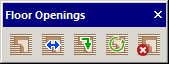
1 Like
The hole tool is slowly but surely coming together. The most challenging part has not really been the ruby backend and the various manipulations of the API with the floor geometry. My biggest challenge has been how best to design the HTML “Edit Menu”. The issue is that each side of the hole may have different values for the header/trimmer that skirt that side of the hole.
For example the hole below has six sides and each side may have a completely different header with unique requirements. I narrowed the parameters down to 10 per side as previously given in a post on this thread back in November. The data structure that stores all of this information is fairly straight forward but I am still working on how to display this data and make is intuitively manageable.

As far as the actual hole cutting there are two solids under the hood that perform this operation. The first one cuts the sheathing, flooring and gypsum and is the same size as the hole. This is working now and is very straight forward.
The second cutting solid is typically larger and only cuts the joists and insulation, the amount that it insets into the floor is determined by the (header thickness x ply) on each respective side.
It’s not rocket science but there is actually quite a bit going on here. The code that creates the headers (or rim of boards around the hole) will borrow heavily from my existing module that creates the rim joists around the perimeter of the floor. The nice thing is that I now have so much code to borrow from that it often helps me generate new code, since I don’t usually have to start from complete zero.
Just a little update on how the sausage is made. 
5 Likes
The second hole cutting algorithm now seems to be working as planned:

Notice how the joists are cut back the header distance from the edge of the hole. Still a lot more testing to make sure this is completely robust.
I’m actually going to add that additional face to the floor outline layer since I feel like that information is valuable to the user as well:

To move the edge of the hole one will mouse of the inner perimeter and not the outer cutting perimeter which is only for reference.
2 Likes
First look at the headers/trimmers around an opening in the a floor:

Below is an example of moving the edge of an opening:

3 Likes
First look at the Opening Edit menu:

Note that you can customize each edge however I am still working on hangers and the I-Joist option.
I am also still working on the situation where the header is two or three ply.
3 Likes
Version 1.0.1 - 05.18.2025
- Added floor openings with fully customizable headers.
- Added the floor openings toolbar with the following five items: Draw, Move, Edit, Regen and Delete.
2 Likes
Tutorial 22 - Floor Openings (13:59 min.)

P.S.
Already getting some great feedback on this new feature. I think it may require some additional refinements but it is a start.
1 Like
I’ve been giving the feedback I received thus far on the new opening tool some serious thought and after further testing I can see that adjusting the header extensions to reach out and grab the correct joist is probably the biggest bottle neck in the process, if you can call it that.
Below is an example of a six sided L-shaped opening in a floor. It has three headers and three “trimmers”. Note that headers run perpendicular to the joists however the opening tool really makes no distinction between headers and trimmers, they all have the same ten parameters.

I had to make five entries to adjust the headers to meet the I-Joists as shown. Really not that difficult but somewhat time consuming and tedious in my opinion. The solution to this problem could be to have the plugin somehow detect the nearest joist and auto-extend to it. However, I feel that such an algorithm would be overly complicated and probably not very robust.
The other option would be to create a “Header Stretch” tool that allow the user to simply mouse over the header, select one end or the other and then stretch it to the desired location. This tool would be very similar to the “Wall Stretch” tool that is part of the Wall plugin. Rather than navigating through the labyrinth of menus one could simply adjust each end with only three mouse clicks.
Again, I have my work cut out for me.
I’ve also realized that it is not readily apparent to the user which header is which. I may need to incorporate some sort of labeling option that will assist with this.
1 Like
The Floor Opening toolbar will now contain a sixth tool called “Stretch Header” which will allow the user to stretch the opening headers in a more intuitive fashion:

I’m not really wanting to add more icons to my already bloated toolbars but I feel like this will be a very worthwhile tool and it will almost certainly makes everyone’s life a little easier when it comes to these openings.
1 Like

Unless there’s support right at the hole, I would expect the doubles (or triples) parallel to the the repetitive members to clear span the same distance as those members, and the perpendicular ones to stretch between them.
1 Like
There is no rhyme or reason to these headers and trimmers per say, I’m just trying to throw everything but the kitchen sink at this thing so I can make sure it will handle any and all permutations. So far it seems to be working.
2 Likes
Version 1.0.2 - 05.22.2025
- Enabled multi-ply floor headers for openings.
- Enabled variable lengths for staggered joists.

You can now enter in a single value for the joist length or you can enter in a list of lengths deliminated by commas. This update per user request.
2 Likes
Version 1.0.2b - 05.23.2025
-Updated the joist removal function for more granular usage when working with staggered joists.
I apologize for all of these micro updates, I would have preferred to roll this out after adding a few more features etc… However, the user who requested this specific ability obviously needs it to complete their project so it is simply a matter of expediency.

Now one can not only specify a single line of joists to remove but also remove specific joists from a given line, see screenshot above and note the syntax in the Remove Joists field.
Tutorial 23 - Joist Removal (8:06 min.)
