I am a user of SU and Layout since 2018. I use it professionally. IT IS A HORRIBLE PROGRAM.
And I am not even talking about how it can lock up my MBP M4 MAX.
I have a scene, I update the scene. I update the model reference. AND IT CHANGES THE DRAWING IN THE VIEW. MULTIPLE TIMES. BEING VERY CAREFUL. THEN IT CHANGES AGAIN.
I have walked the troubleshooting steps and I have done all suggestions.
All the things we have to do to work in Layout, and today it just sent me over the edge!
It is a rant. It’s a rant! We all know Layout has its quirks. It has its work arounds. I use it almost daily. I LOVE SU. But Layout just pushes my buttons and today it was just too much!
I also use SU an LO professionally, everyday. And the frustration you have is legitimate. Some things that should be separated and obvious are buried.
As an example: updating camera views; tags /layers and hidden elements in scenes. For god sakes… flipping a check box to up date!
The inability to actually do detail drawings… because LO can’t zoom in any further. ( somebody PLEASE prove me wrong ). A lack of a trim or extend function. Or a continuous dimension line. Just some basic ■■■■ figured out decades ago… last century even.
Yet, people still use the Rhino - Revit pipe line.
If you are like me. And because of the unique nature of your profession… well, here we are.
Hopping for some API help in the Layout world. Scoffing at AI implementation… when FREE CAD is… well free.
Here is the thing…
It is really great at a very narrow slice of the design world. Strong in areas where others don’t even try. And if you don’t know it’s secret squirrel way of managing things. Or buy a bunch of extensions that should be standard… round / bevel, or every Mind Sight Studio extension…
Well, then it sucks.
But, I can tell you.. you probably have a totally incompatible system. Or don’t understand how scene updates work. Views don’t jump around unless you moved them. It took a while for me to understand this STUPID systematic way to update a one aspect of scene. Just why!!!
Though, I have seen origin points randomly move…. So you reboot.
“This is the way”
But I digress….
Yell and scream!
The Trimble Gods use that energy to forge into unknown areas while neglecting know failures and simple success.
Most of the time I figure it out, but today was just too much.
I have figured out the things that will crash Layout most of the time, and I use it as an excuse to go do Yoga, Walk the Production Floor, or get a Donut.
My SU models are often in the 80 to 100mb range and some kick up to 500mb. So I have learned to NEVER EVER CLICK “VECTOR OR HYBRID” as it is the easiest way to kick the fans on and roast marshmallows over a Modern M Series Mac.
Today I was being pushed to get some drawings to the shop floor. I took and broke a large model down to just the important parts. I fed in the complex components exported from FUSION, imported in a .jpg drawing and got to work.
As I cycled through making changes in SU, and then to Layout. Layout was not updating. Not anything new. I love it when it works, but I was having to update the model reference to get the view port to display the Guides I was creating so I could snap dimensions to them.
ISSUES:
A. Guides were disappearing. I could snap dimensions to them, but they would disappear, and I was not sure if I was snapping to the grid or to the Guide.
The Guide is at the same elevation as the other Guides, and it did display.
B. The viewport was acting like it was connect to the last saved SU view, and the model would change locations and break my dimensions when I updated the model reference so it would update.
Here are my steps (1) Make changes to the SU model. (3) Update my Scene, (3) Save the Model (4) Go to Layout. Growl that the model had not updated in the view port. (5) Update the model reference by right clicking on the view port. (6) Curse because the model jumps and I loose my dims. (6) Fix the view port and reattach the dims. (7) Decide that I am not going to update model reference and just try and snap to the guide blindly. Somehow it is working. The Boss says hey I (8) Check to verify that I am using a named scene. I am. (9) Then while adjusting the snap of a dimension the application crashes. (10) I then add in all of my Layout frustration of not being able to do what I think it should do and all of the hours invested into using, and I came here to Vent. WHOOSH.
Just a thought - why are you updating your Scenes after updating your SketchUp model? Surely they should update themselves to reflect any changes to the model. If you have Layout views based on those Scenes you could easily mess them up.
There’s no software, cad or vector, that can handle the amount of geometry you must have on those huge files on a smooth way. Do you use a lot of models from the 3D warehouse or other 3D models from different platforms? 500mb for a sketchup file is too much, unless you’re modeling an entire city with some detail. Probably your workflow is the problem and not the software, I bet that if you export the sketchup file to Autocad you wouldn’t be able to zoom without having to wait 10 minutes to get a response of the program.
I’m not defending LayOut, I’ve had some issues specially with the latest version, but after the description of your files I’m sure no software will be able to handle them.
Not my experience of Layout – and I use it professionally too.
But as Pierre mentioned above, why don’t you share a problem file?
Just one thing that jumps out from your screenshots – what’s that 3D component above the toilet (?). It looks way too high a poly count for what it’s representing in Layout! Why not just draw that item in Layout with a few lines…?
When I do construction documents I need to show where the windows are, but I don’t need the window to be detailed enough to manufacture the window. Same goes for kitchen layouts - clients need to know the stove fits, and basically what it looks like (for CDs, not for rendering) - I don’t need a stove model with numbers and knurling on the dials, heating coils inside, racks that have 100,000 entities…
All that stuff makes LayOut choke. And the more stuff you have, the harder it chokes.
I have had many of the same frustrations over time. I think I have found a work flow that minimizes the problems I was having. One thing is in Sketchup be careful updating scenes from the Tab at the top of the scene. It will reset the camera then when you update the layout view port the geometry shifts. Right click on the scene in the Tray and uncheck features you dont want changed like the camera. It would be a feature request I think would be useful to set and lock how a scene is updated from the tab.
Im drawing mostly single family homes but I think it all applies. When I first set up the drawing I use one “level” or floor in the plan view. I will bring in the SKP scene. ( I actually have templates so a lot gets populated when I “send to Layout”. I choose the scale and position the viewport .
I usually have three or four View Ports that are exact copies and place them on separate layers. A Output, Raster, Working Raster and a Vector Layer. I setup the Output Layer first then copy that to the Vector Layer. Turn off the Output Layer and go to work on the vector layer. I turn off most all tags, especially those with components like furniture or fixtures. At this point I only see the section cut of the plan view. Here I can switch to a Vector Viewport and apply a Vector Style as there are few lines to render.
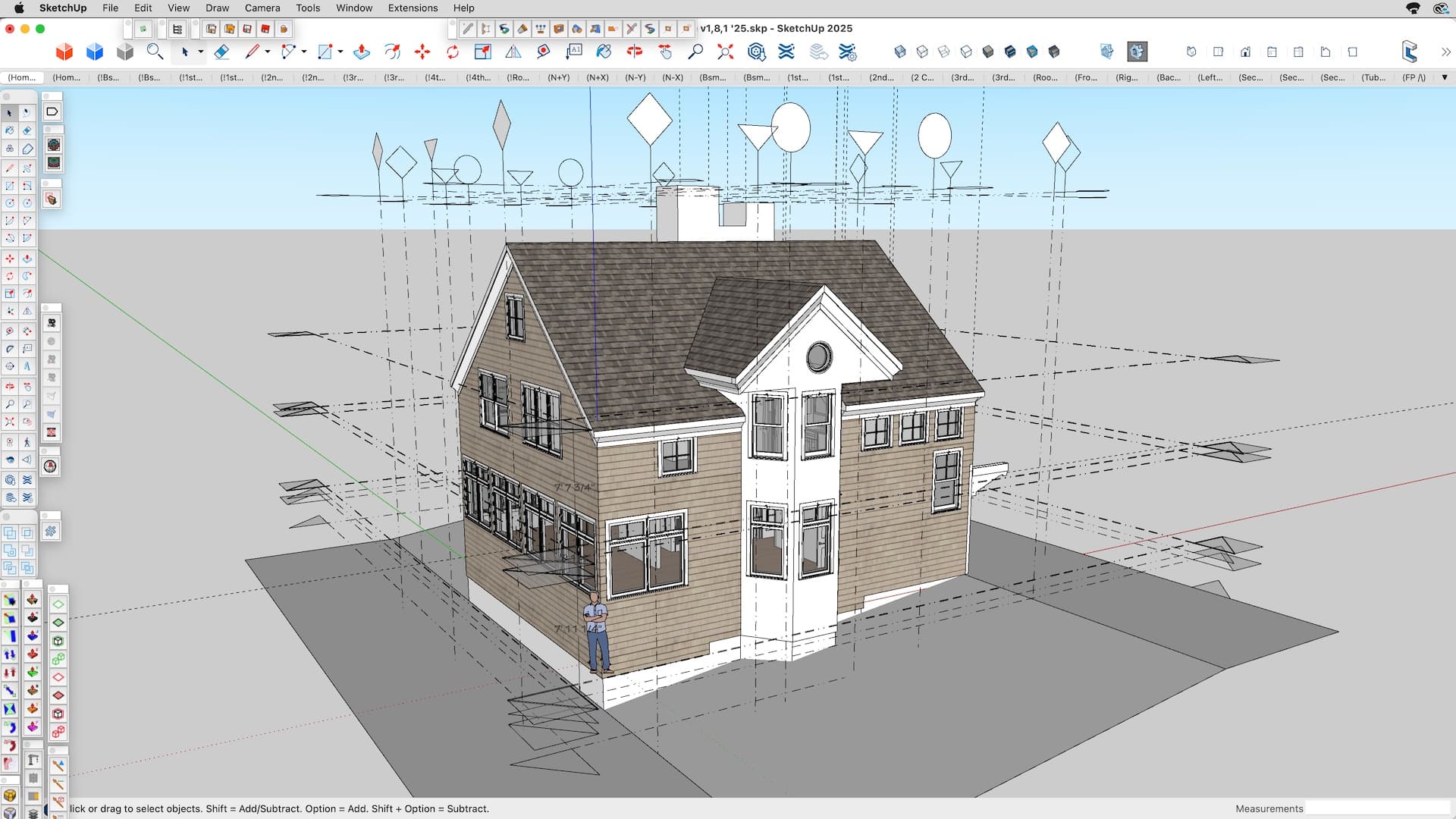
Then I begin with Grid Lines. I create planes in the SketchUp model where I want Grids, Section Cuts, Plate Heights ect.they are all transparent and organized by separate tags and noted in the Instance Name. This really helps when assigning grid lines in elevations where you may not have geometry visible. I do use A Layer of Guide Lines that I can use to align things or project a surface. Dimensions snap nicely to the vector lines or the center of a window opening avoiding snapping to non visible geometry.
I also tend to have large Sketchup files. I tend to add heavy components at the end but find turning off those tags in “working” layers helps a lot. I use some Hybrid when I have to have that detail in the PDF That is done in the Output Layer and at the end of the project.
I’m not at all sure of this, but with guides (or anything else for that matter) in exactly the same plane as other faces, there could be a Z-fighting kind of thing where the program gets flaky trying to decide which one to show and which one to hide. I do insert guide points sometimes for dimensioning later in LO. I have a tick-mark component of guide points I can just drop in anywhere.
I don’t love LO, but I keep trying to cope with it, and it’s still a work in process … a lot of similarities to @ivanjones description. I do love drawing in SketchUp and PowerCADD, but not in LO, so I try as much as possible not to draw in LO. For example, I draw my door swings in the SU model, not in LO.
So are those wall lines in SU or drawn in LO? This is another thing I try to draw in SU rather than LO. Here are what mine look like:
All those wall, column and centerlines “float” above or in front of the model. Even the door swings are floating slightly above the floor so they won’t fight.
@RTCool Very nice. I think we do about the same thing. I think one point is with stacked view ports in Layout you can minimize the render time by turning off anything unnecessary. Also then you dont accidently snap to something behind what your actually dimensioning. Note to others reading this the dimensions, notes, Grid Markers are all in separate Layers so they can be on the Output Layer with the vector Layer used as a “working” Layer
I like a plane with color to identify them, I find it easier to move them in Sketchup. I also replicate section cuts because the “edge” of those SU Section Planes arent visible when perpendicular to camera and arent geometry. I tag each plane and group them in sub folders so it isnt such a mess. This would be another great feature request to have a tool like section planes that dont cut the model. Although its not that time consuming I have one of each in the SU template and simply copy them as needed. All that geometry is there to allow me to annotate in Layout with Scrapbook annotations.
I would be interested in a team members input as to how layout renders non visible tag items or a hybrid view port layer turned off?
Layout can suck, that’s true. It doesn’t automatically play nice with complex Sketchup files, but if you flip your thinking it will work much better!
Change “make Layout work better with my Sketchup models” to “make my Sketchup models work better with Layout” you’ll be a happier designer/architect!
One thing I do to make Layout happier and faster is in Sketchup to have tags named ‘2D’ and ‘3D’ for a single object. So if I have an Enscape tree, I’ll have the 3D tree geometry on the 3D tag and a plan representation of it on the 2D tag. So, when in a plan scene, I turn off the 3D tag and 2D on. Also, keep all your geometry as simplistic as possible otherwise.
Also, I highly recommend looking at Curic’s Make2D extension, it’s super useful for generating 2D views of 3D objects (but use it in a separate model, not the big complicated file!). And check out Sloped.io, they’re doing some cooling stuff about flipping the way we use and think about the Sketchup/Layout dynamic. And Luke Whitelock has some great tutorials to get a handle on Layout, too!
I have worked on very complicated models with this method and have been able to use vector viewports in LO with not much issue. Of course everything has to be dialed in on the Sketchup side to get this happy result!
I do use a lot of BIM models from the vendors we use. Sometimes if it’s a model we use a lot I will do things to suck geometry out of it.
Sometimes it’s an imported IFC file. 25-40mb in size. These represent pre-manufactured interior walls that I have to do a sanity check on to make sure that they will fit in our building system.
The really big models have maps and GIS data. Mining and Land Development.
Those are BIM models from our supplier for toilette carriers. What makes my job very interesting is that I am responsible for taking drawings from our Architectural team, and converting them to detailed shop drawings for our production line. So having the Vendors accurate BIM model saves us a tremendous amount of time. One half of this plumbing wall sits on a 6in beam, but the other half of the plumbing wall sits on joists. That means I have to design an adapter so when the plumbing wall is slid into the building frame, everything lines up and is solid. Hence the need for lots of detail.