5" 38 Twin Turret Cutaway DONE!

Back to the ship.

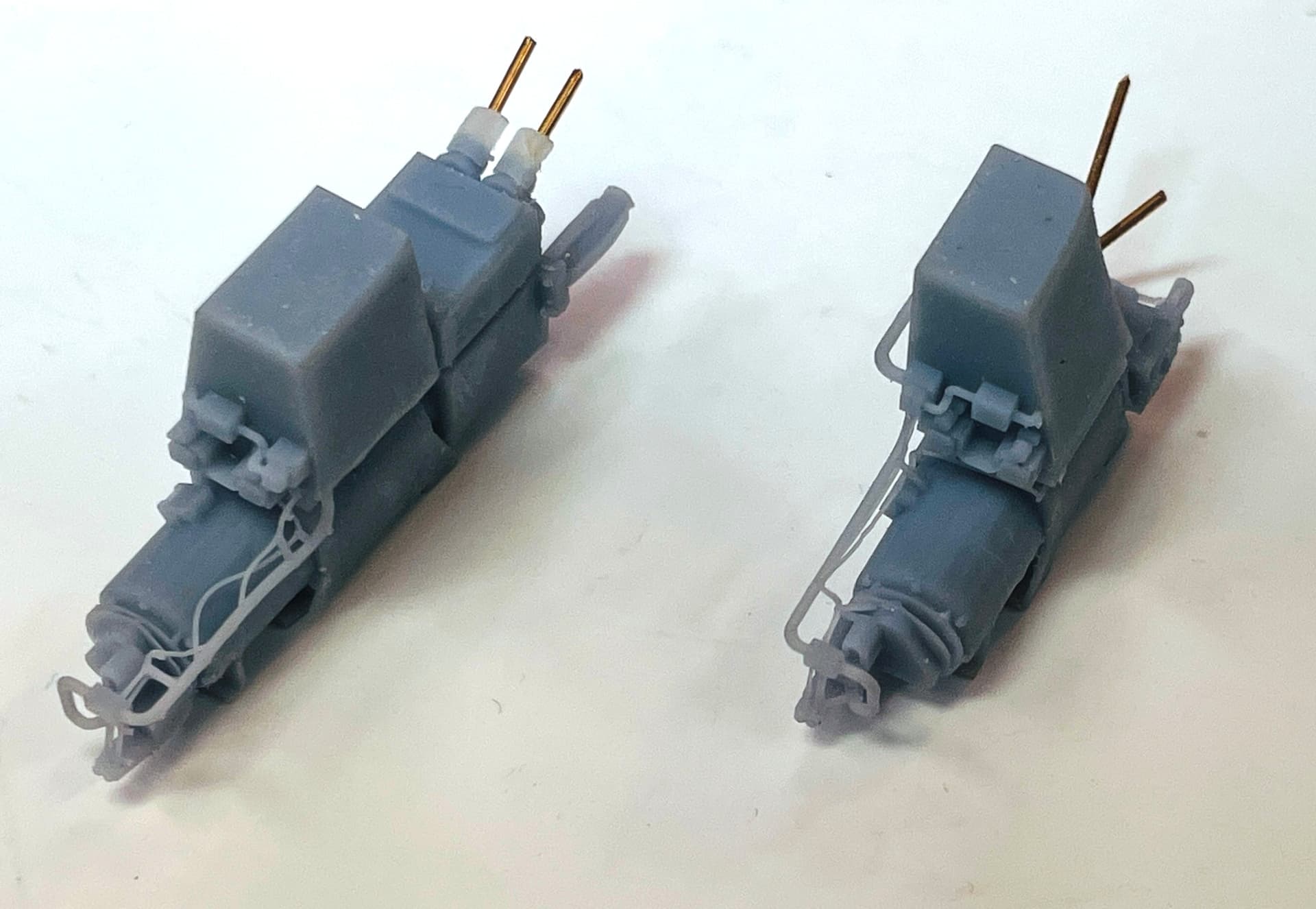
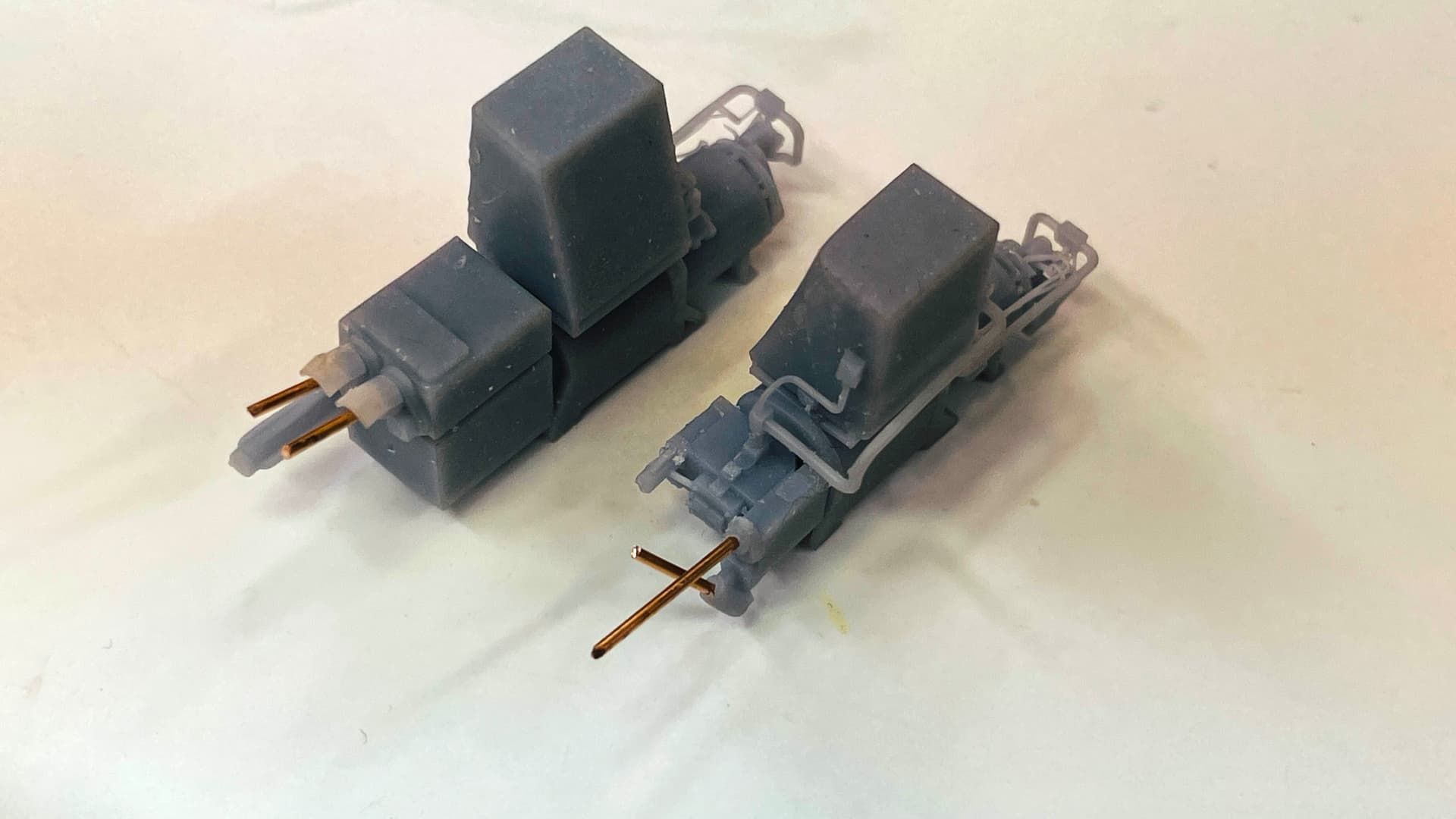
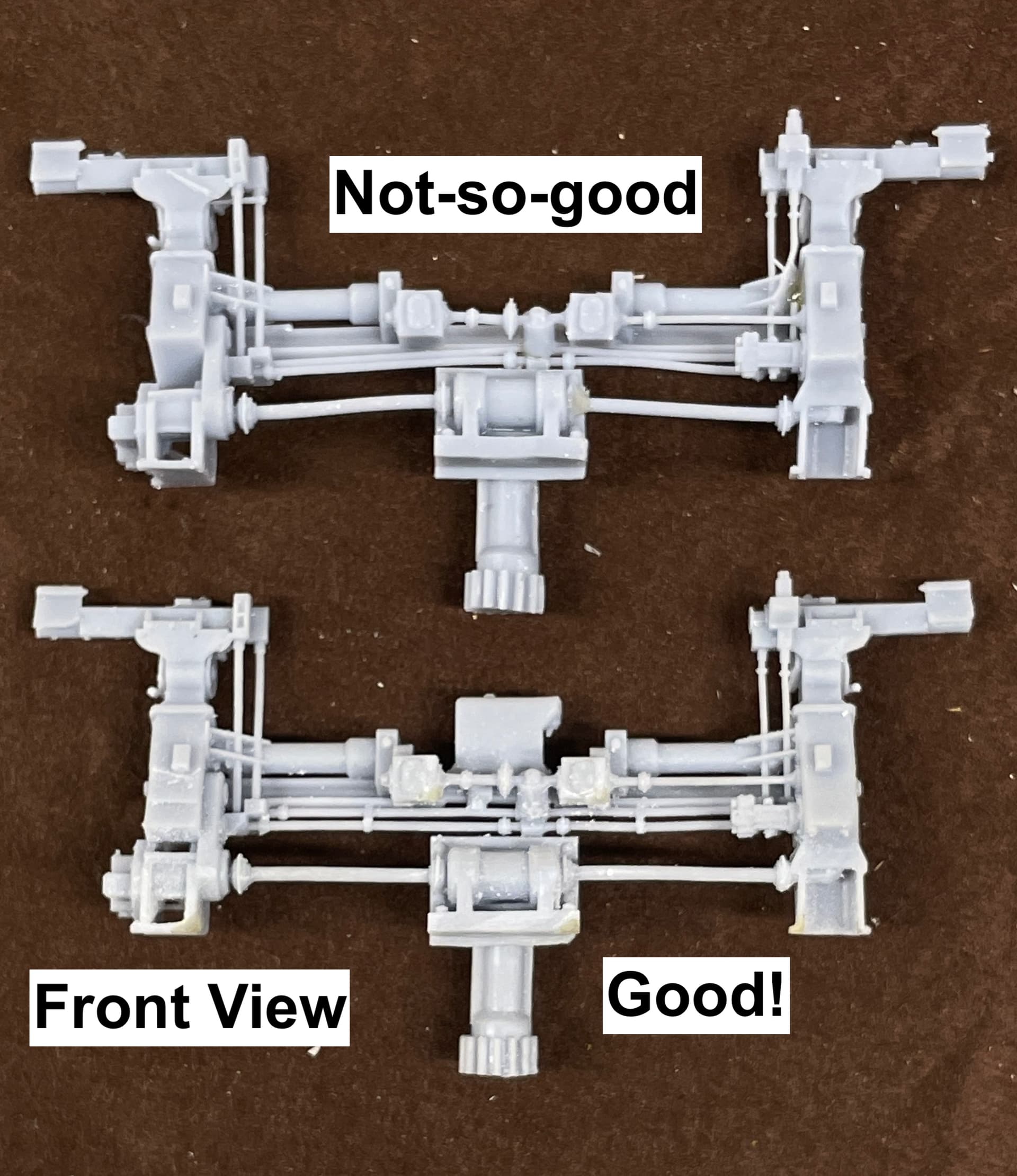
My first prints of the elevation and training pump systems was okay, but a couple of details didn’t form and it bugged me. Here’s the first attempt.

You probably can’t find the errors, but I know they were there. I tried them on to see how they looked sitting in the framing. And they looked swell.

When I went back and evaluated the support scheme, I found that I misplaced the tiny support on the upper side of the detail, not the bottom-facing apex. This caused the detail to not form correctly until the build reached where the support was. This is support skills 101: the support goes at the bottom-most point what would start to form and create an island. There’s a moving line in the slicer that helps you identify this contact point. In this case, I missed it a bit.

When I repositioned the errant supports I got a really nice print. I also moved some supports or made them smaller where they were difficult to remove without damaging the model.

Those piping details are very, very fine. The phos-bronze wire is showing where the links are going to connect to the regulating pedestal. They will not be this long. I pre-“drilled” the holes in the drawing so I could easily open them up with a 0.032" drill.

The new setting is amazing. It’s like learning to 3D print all over again. I’m also reprinting the foot rungs since the new setting will make a truer and stronger part, plus a less warped base that I’m using as a drill jig.

6 Likes

Hooray! :slight_smile: Those new components look great.

1 Like

Still amazed at the level of detail you’re able to achieve. Well done. :+1:

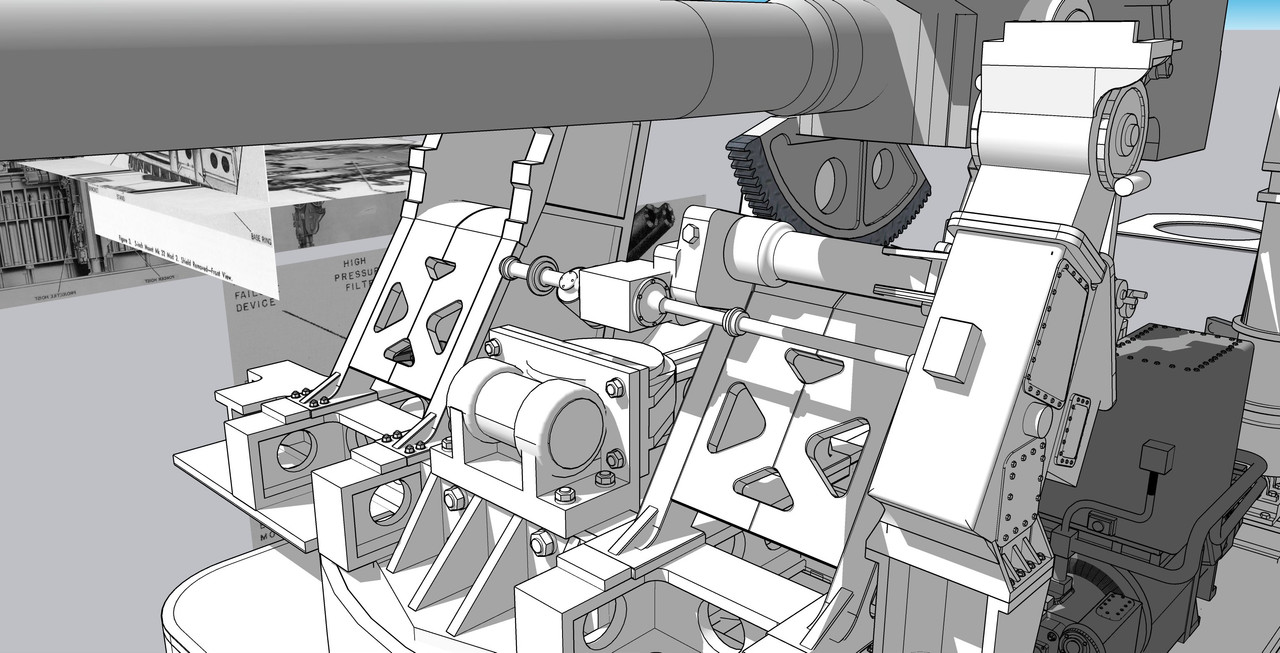
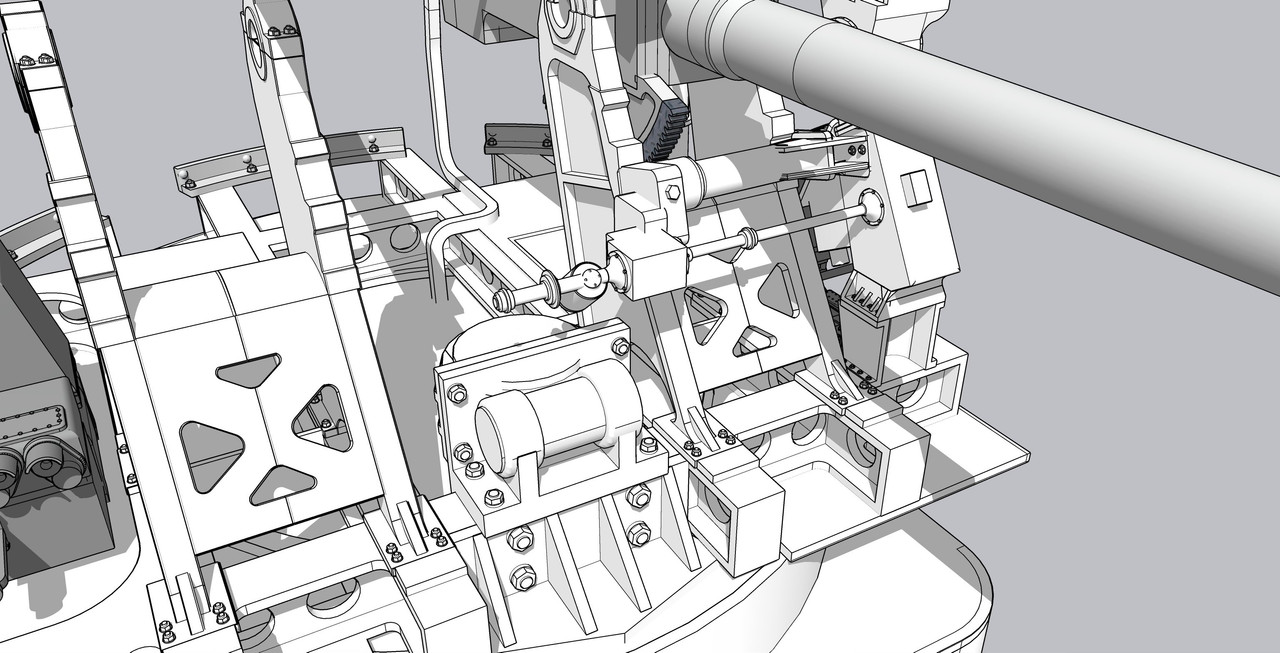
Thanks and I think I need some help. This is challenge. There are brackets that tie the pointer’s station to the gun mount and it also carry the Elevating Gear and supports it in position on the elevating sector. I having trouble visualizing the geometry and each view just confuses me more. I worked well over an hour on this, but it’s still not right. No one may notice, but it bugs me. Actually drawing the entire assembly has been a beast since nothing is at right angles and the SU axes are driving me crazy.


This is what I’ve got so far. I’m wrestling to keep it a solid so I can print it.

Becausse of the perspective, I can’t determine that sloping angle. It’s those angles that make the axes problem more acute.


In this view it looks like it parallel to the gun house base.

I almost had a heart attack… I fit this into the gun house and it was about 13" too low for the telescope to peer out of the opening in the gun house side. I was starting to adjust and change all kinds of things, and then I realized that I forgot to bring over the u-shaped pedestal the attaches the assembly to the frame beam. When I added it back in, the telescope base aligned perfectly with the opening. I was very relieved and happy I didn’t do anything stupid. It also means that basing my work on that side cutaway was okay and gave me good proportions.

3 Likes

Work continues on designing the very complex (for me) Elevation Station. This assembly includes all the input controls, the output shafts, the optical telescope and its linkage, the elevation gear housing and the connecting shafts to the other gun and Sight Setters station. There are no right angles! Making it more complex is the coupling casting that ties the elevating regulator column to the gear housing. This thing. This, BTW, was not correct as drawn here.

The reason for all this confusion for me was none of my referece drawings showed the entire part, nor were there any that gave me a true understanding of its geometry. It took well over an hour to get this far. I even sent out the word for help from some other SketchUp, but didn’t get a response. Here’s what I had to go on.

I persisted and eventually landed on a shape that works and looks credible. Whether it’s actually correct is a totally different question.

I then took this assembly with the beginnings of the gear housing and put it into position in the gun house on the master drawing. This is what I found.

The gear house (and associated shafting) was too low. I also found from a verticle perspective drawing of the turret interior, that the shafting an its associated apparatus were to far left. This is all the result of not having a single orthographic diagram of the equipment design or location. Some are perspective and others are isometric, but locating accuracy was very difficult to achieve. It just a series of aproximations.

I’m satisfied that I’ve got it right… enough… for now.

The Trainer’s station is similar in design to this one and I’m going to use the same “casting” to join it to the other gun’s elevating housing. There is another ambiguous part that I need to design. It sits on the gun side of the housing near the bottom and contains a ton of complexity of which I can make no sense. Problem is when I enlarge the drawings to bring out of the detials they disappear since the images were screen prints of scans of a manual and have no resolution when magnified. Again, it will be mostly quess work. I do have a picture of the Trainer’s station with this component that shows more detail. I can cannabalize off that one.

5 Likes

Good gosh I don’t know how you’re doing this. Looking at these last drawings you posted I can’t tell up from down. Amazed you’re able to get the results you do. :+1:

1 Like

Just a quick progress report. I’ve spent over a week working on the elevating mechanism and still not done. Nothing about this one is easy to understand or easy to draw. What makes matters worse is the real ship, most of this stuff is buried in the front of the turret up against the lower portions of the armored front and you couldn’t get near it to make any real world measurements. I draw it in a separate file, at 100x full size. I then copy it, reduce it to 1:1 scale and export it to the master file. I then fit it to the gun stands and the shell sides. Nothing on the part is a right angles to the SU main axes. I have to figure where the parts need be separated for effective printing.

This is a view from the rear which is kind of what you’d see if you actually went into the turret.

All of this is created with images like this:

3 Likes

Working with SU and Chaos (Vray producer) I got my Vray working with the SU upgrade. It took a fresh reload downloaded from V-ray.

This is what two weeks of drawing produces. This was probably the most complex SketchUp drawing task I’ve ever tackled. In addition to just the SU idiosyncracies, there was also the challenge of getting all the shafts and connectors to align in some reasonable fashion so they would resemble something that could actually exist in the real world. And then there was getting this stuff in such a way that it would successfully print. As a result, some of the operating pieces are touching other surfaces intentionally so as to add structural integrity to the printed object. I’m attempting to print as much of this mass in one piece as possible. Orginally I was going to use metal rods for the rods in the model, but with my printer improvements, I think the printer is up to job to print them all and make them relatively straight. We’ll see.

And the front view.

And how it’s going to go on the printer. Lots of corners and curves that needed specific supports. The flanks of some of the tiny bolt heads show up as needing supports, but I chose to not attempt it. The support removal would destroy the detail anyway so we’ll just see how it all turns out.

I’m going to put it on the printer tomorrow.

8 Likes

It was 11 days ago when I put this complex sighting system on the printer. Since then I did five different runs. Each had it share of problems from total failures when my build plate has lost its holding power, to failures due to mistakes in my design or drawing execution. Today I was able to get a fully usable part. I had to make some minor fixes using Bondic, but all in all it will do well. Meanwhile, I had designed and drew the Sight Setter’s Regulator and incorporated it into the part’s design and printed it as an integral unit. The Sight Setter’s Regulator adjusts the two telescope prisms so they match the aiming data sent down by the gun directors. In normal operations all of these settings would directly operate the guns, but everything has a manual backup.

This is viewing from the turret front. The front armor shield normally hides all this, but I will cut it away so some of it will be visible. It’s pretty cool in its complexity.

And the rear view that will be seen from the turret’s interior.

After doing a trial fit I was rewarded with a pretty good result.

And the interior view.

While this was printing I designed the Fuze Setter’s Regulator. This assembly is also connected to the front complexity, but is very close to the starboard side gun mount. I decided to print it as a separate part and will install it after installing the guns so I can get the trunnion cap in place. This device is used to translate the firing timing from the gun directors into the fuze setting system in the projectile hoist. It was mostly obsoleted when the proximity fuze was introduced later in WW2.

I’ve created masters for decals for all of these systems to simualate their dials.

I redesigned the acess doors with the hinges in the open position to show the insides and how the system were maintained. I also redesigned the optics hood with the open shutter so the shutter had more beef in the hinge so this fragile part had a good survival chance.

I’m now working on another complex unit, the projectile hoist. There are two of them, but they are not mirrored. They extend over two decks since they start in the Ready Service Room (RSR) before the gun house, pass through the center and end up in the gun house. I’m creating them this way. There are some structural steel cross-braces that support them. They do not go to the RSR’s floor. They hang above it and the whole deal rotates with the turret. Unlike the big guns where the entire deck rotates to keep the hoist aligned with their respective guns, in the smaller 5" application, the hoist rotates, but the RSR is stationary.

It’s very complicated to created curves on already curved surfaces in SU. You can’t do the simple push-pull extrude operation because that only works when the two sides are parallel. To cut a curve into another curve, you have to created a negatively-shaped “cutter” and use it with an extension called BoolTools2, to remove the interferece area and create the shaped surface. You can also do this directly in SU with “Intersect Faces”, but you have a lot of clean up work since it gives you the cutting line, but leaves an open space that you must hand draw all the interconnecting lines to create a closed solid.

While doing all this I finally finished that cute little n-gauge display layout that’s going into the Newtown Hardware House in Newtown, PA. I was able to accurately model four Newtown buildings. These were drawn in SU using actual and Google Earth images.

I have the Trumpeter 1:32 F35b on layaway at Scale Reproductions, Inc. I was waiting for the most complex F35 to finally come out in 1:32. While I’m not a big Trumpeter fan, they’re the only one making this model now, so I’m going to get it. It will be 2024 when I start it so stay tuned.

6 Likes

Great looking new parts! Hopefully the frustration of the trials and iterations is more than compensated by the final success.

I use SketchUp’s Intersect With function all the time in my modeling; I do not use the native Solid Tools or extensions such as BoolTools2. After using native Intersect I never need to re-draw any interconnections similar to what I think you are describing. I use the “Dave” method of editing a 100X scaled instance of the component to (mostly) avoid SketchUp’s issue with very closely located endpoints (such as occur with very short edges). That intolerance for short edges may be what is causing the need that you observed to stitch together some parts of the intersected result. After doing a native Intersect operation I just delete the unwanted bits and pieces of the intersection and cutter. Sometimes @thomthom’s Sold Inspector2 “fix” function can do lots that cleanup, sometimes it involves manual deletion.

1 Like

I use the intersect function as often (if not more) than BoolTools2, but it’s more complicated to reskin the cut area, at least for me. I’ve developed a work around where I copy the skin from the tool side, normalize it’s faces and then paste it in place, but BoolTools is easier since the skin is there after you take away the cutter. I also use Fredo Round Corners, but I’m getting a lot of errors when it boots up “Bug Report” and I’m not sure what’s going on.

I found out that the fuze setter regulator that I modeled last week was an older version that was NOT on the Iowas. At first I thought, “Who’s going to notice”, but then my AMS took over and I had to draw and print a correct one. Ryan appreciates this.

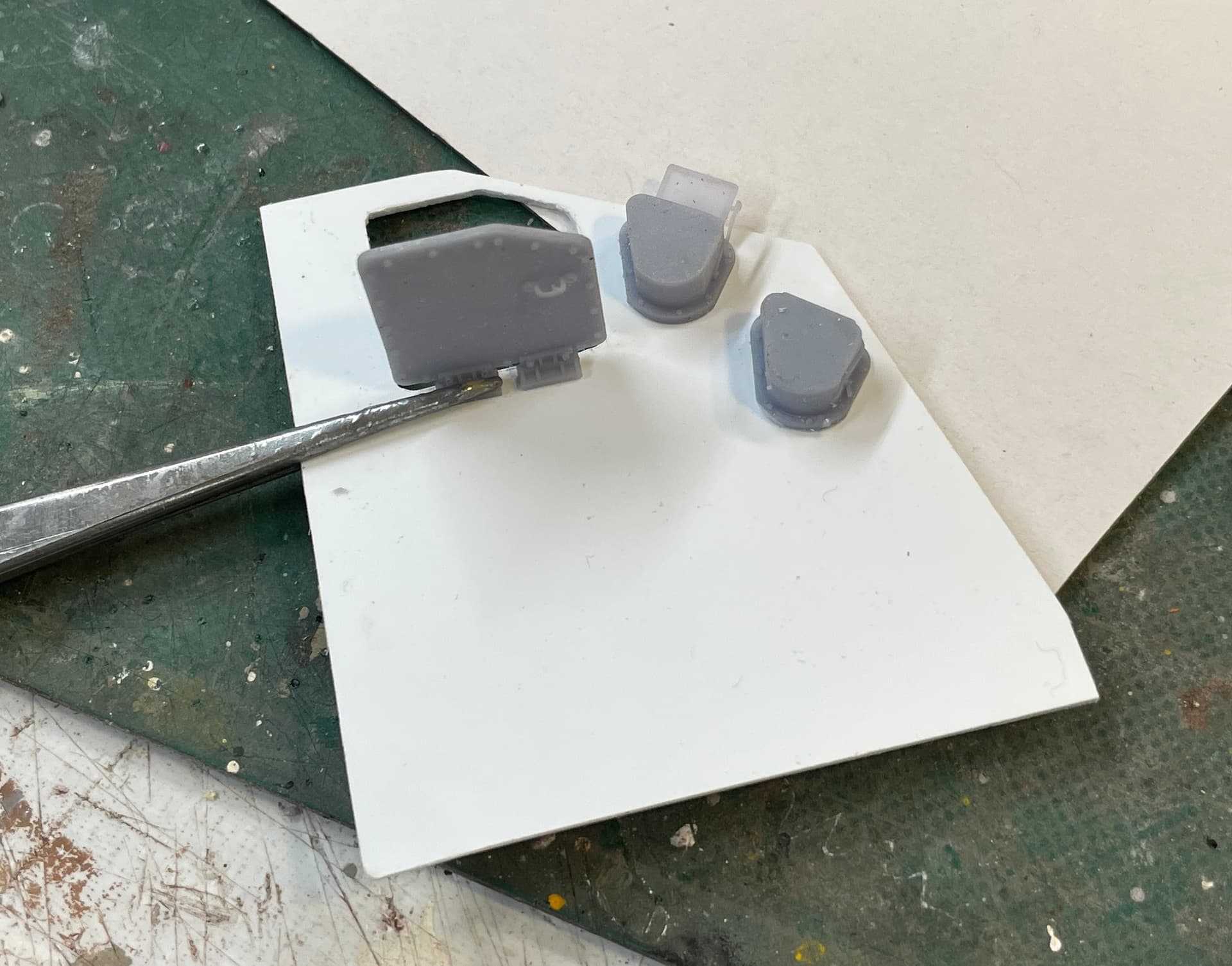
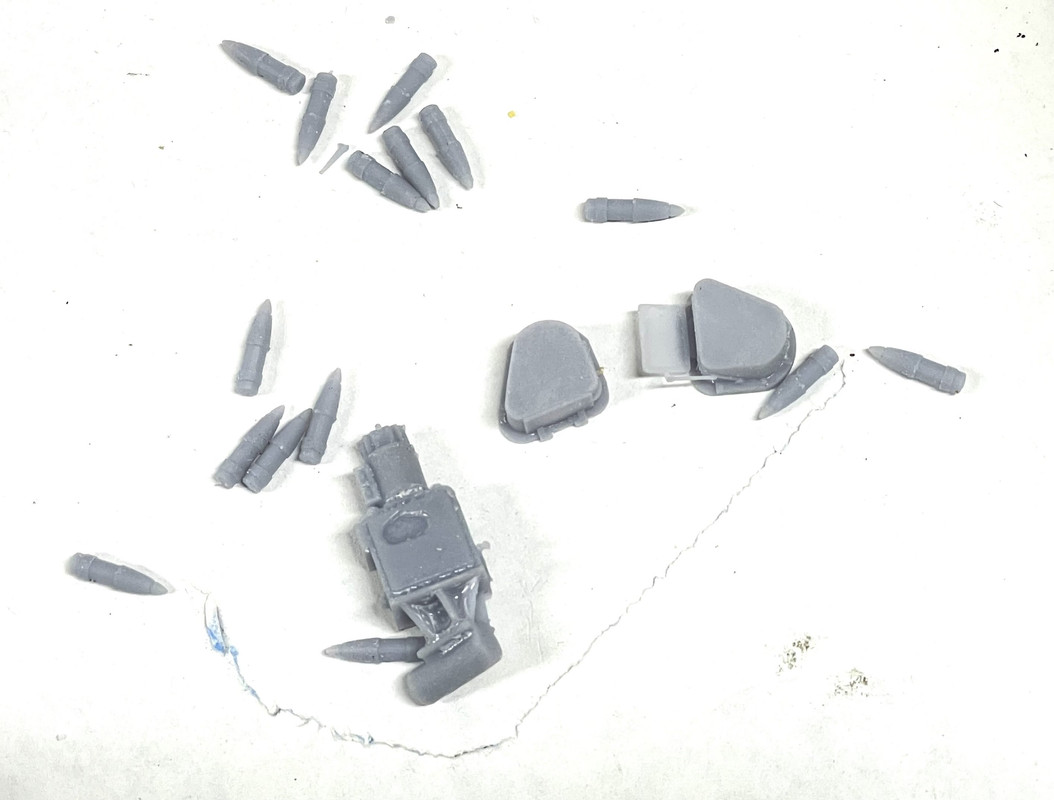
It printed nicely. I also printed the opposite hand versions of the optics shields so I can pick either open or closed on both sides of the gun shield. And I printed some scale 5" projectiles. I’m going to need a bunch of these since they’ll appear in the gun, the hoist the ready service room and the magazine.

Then it was full-steam ahead on the projectile and powder hoists. As complicated and confusing the sighting mechanisms were, this one is more so. Not only are they complicated beasts, but every illustration I have shows me something different. I sometime don’t know if I’m looking at the same mod number. I know there are slight differences between the mount versions in lots of ways and these could differ as well. It’s even confusing determining where the central tubular column sits. Is it in between the two projectile hoists, slightly behind them or equally located in the center between the projectile and powder hoists? I’ve asked Ryan to cast the deciding vote.

Even so, I’m a couple of days away from finalizing the projectile hoist part and will move on to the powder hoists. Regardless how the center column is situated, it appears that it provides support to all four hoists. In additon to getting the details and relationships nailed down, I constantly have to keep in mind how it’s going to print and finally how am I going to get it all together. I found some actual diamond plate in the SketchUp 3D Warehouse that the artist has actually drawn the pattern in 3D so it can be printed. I’m going to attempt to print the hoists with the flooring in place in a single piece. I want to do it this way to ensure that it is all perfectly aligned. I test the part periodically in the slicer to make sure that it’s all solid and will fit the printer as it gets bigger. I pay special attention to all those rods and connectors to make sure they’re supported in various places (even if it dosen’t conform perfectly to the prototype) and they’re all perfectly contected to all the points and surfaces they’re supposed to be.

Here’s what it looks like now.

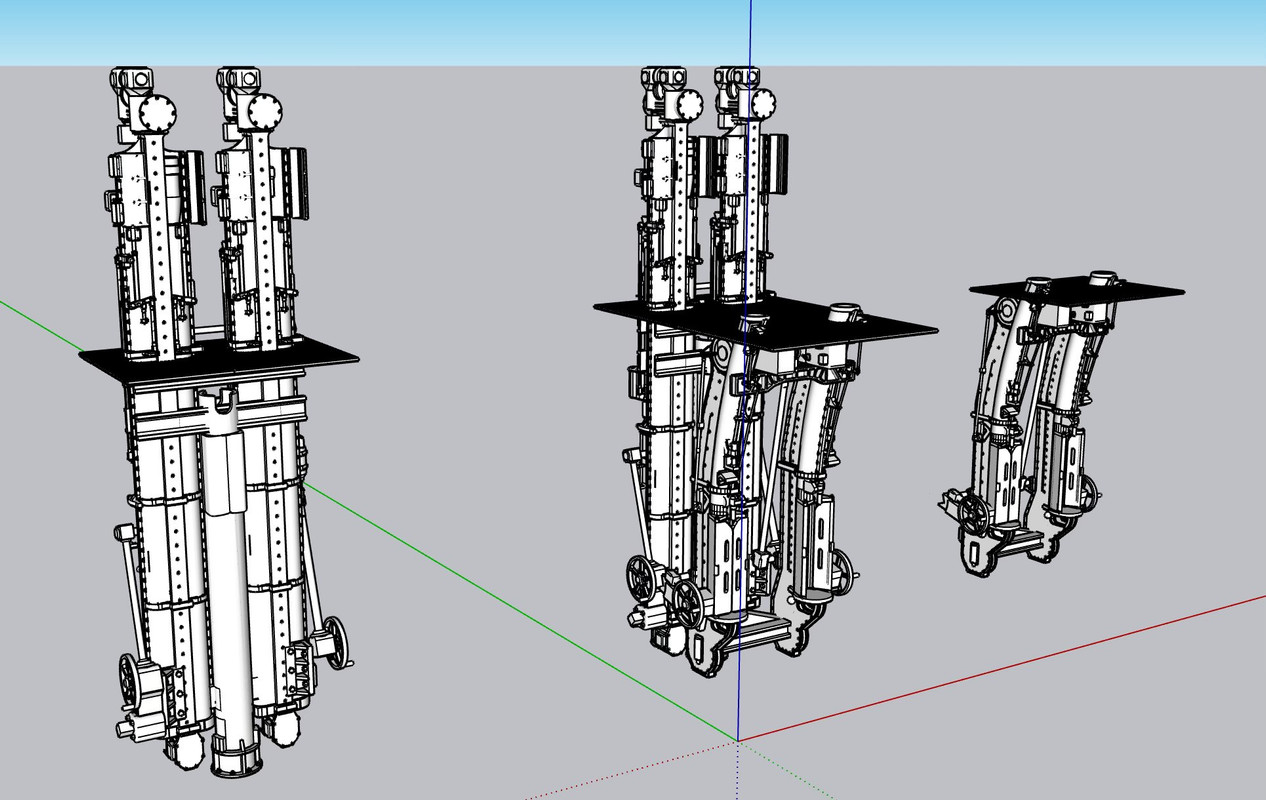
First, a screen print off of SketchUp: The tiny thing you see in the red square is the exact same object 100X smaller. That’s actually real-world size. I’m drawing the object 100X enlarged to prevent any “small curve segments” that SU runs into. The entire drawing is saved as a component. Anything I add or modify on the big version duplicates instantly on the 1:1 version. I use the 1:1 version in the master drawing of the entire model, and it’s the one that’s exported to the scaled drawing where I reduce it again, by .021 to make it 1:48 scale for the printing and the actual model. By using it as a component I don’t have to copy and scale it every time I want to use the 1:1 drawing. it’s always there and up-to-date. It’s so tiny that it’s easy to lose it, so I put it on that big red square so I can easily find it.

And the same drawing rendered in V-Ray:

Still to do: The lower doors, and the power and hand-operation linkages. Part of the power system is drawn, but there’s still more to do. I’ve made the center column hollow and will use it as a wire chase duplicating its real world purpose.

7 Likes

Looking great! I sympathize with your struggles concerning photo interpretation. Wouldn’t you love to find the actual part drawings that exist(ed), with dimensions and everything? I have dreamed of finding that mythical hidden cabinet with original drawings of the subject I have been modeling for my personal project.

Do I understand correctly that there are three SKP model editions, so to speak: the 100:1 (for editing), the 1:1 (for assembly reference, renderings, etc.), and a 1:48 for printing? If so, I wonder if the 1:48 edition is needed. I would think you could export the 1:1 edition and tell the importing slicer what scale to apply in order to achieve the 48X reduction.

My solution to finding the 1:1 object is to create a Scene in SketchUp that has the camera located right in front of it. Another scene has the camera located in front of the 100:1 instance. It is then a simple matter to pop back and forth (and it avoids SketchUp 2018’s often slow performance when manually zooming and panning around a complex model).

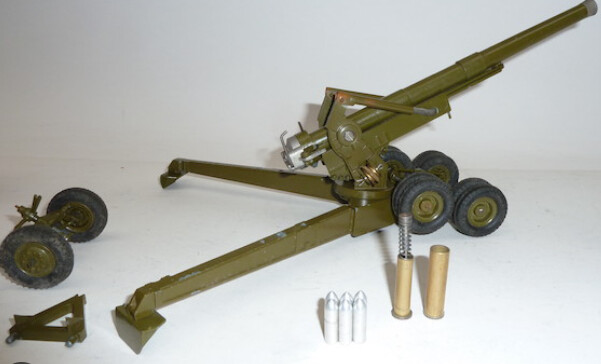
The shells bring to my mind a Britains toy gun I has as a kid. It had plastic shells and a metal cartridge with a spring inside that could send the shells flying across the room.
image

2 Likes

And this dear friends is why I spend the time each night posting all this stuff… It’s the input I get from you. Making a scene is a brilliant idea. I did that as soon as I read it. I don’t use scenes very often for no other reason than I don’t think about it. As for the scaling, Yes! I could load the 1:1 into the slicer and let it scale. It’s a security blanket to see the print-sized object onto the screen. But it would save me time and time is the one thing I can’t stretch. Being retired I have more time than most, but anything to make the drawing process less onerous is welcome.

Not having dimensions is really hard. I spend more time staring at the drawings and trying to construct them in my head before doing anything on SketchUp. And as I explained earlier, some of this equipment is so buried in the machinery, that taking real-world measurements wouldn’t be any easier. Most likely, all of this apparatus was created by different contractors and those drawings are somewhere, but who the heck knows where that is.

Anssi, I bet your mom loved that! Shooting toys were also the coolest. Funny annecdote. My #2 grandson when in kindergarten (he’s now a sophomore in university), was told they couldn’t make anything like a weapon. So he made a magic wand. When the teacher asked him to explain it, he told her, “It’s a wand that shoots bombs.” Smart kid!

I found out that the central column falls behind the projectile hoist and in front of the powder hoist.

1 Like

I relate to that! I spend a lot of time in Photoshop studying images and calculating estimated dimensions based on nearby known dimensions.

1 Like

I’ve applied all the suggestions and they work well. At first I thought that importing the 1:1 objects into the slicer and letting it scale wouldn’t be an improvement, but that’s not the case. It works great and saves a lot of copying and pasting and lots of time delay on the those. The object is complicated and SU is taking its time doing these simple tasks. Using the scene on the 1:1 object is also a huge time saver.

It took over a week to draw the projectile hoist. It’s complex, ambiguous in parts, had penetrations and curve cuts that needed shape cutting, and finally, required some major rework to get it as right as I can.

The rework was this.

This central core had gotten so messed up with multiple diameters layered in on each other which created voids, reversed faces, and other anomalies that I couldn’t get a decent solid image on the slicer in my tests. I finally bit the bullet, stopped screwing around with it and redrew it from scratch. This time it was perfect. All the discontinuities that plagued me were now gone.

I also figured out the routing of the handwheel linkages. Speaking of handwheels, I wanted to make sure that they would print perfectly since they’re quite frail even when perfect. If there were joints that weren’t true, it wouldn’t hold up. That took a couple of hours.

And speaking of hours, it took an entire afternoon to get the lower doors right. Again, when I put them on the slicer surfaces were showing up as invisible. The “Solid Inspector 2” add-in kept showing surface interface irregularities. I went inside the object using the x-ray function and removed all non-functional surfaces and made sure all the face surfaces were perfectly tight. I was rewarded with beautiful objects in the slicer. I need to learn more about my V-ray application in my SU Studio. I’m not getting the Podium Chrome to look like chrome and I have bone up on handling materials in V-Ray. V-ray is sooooo much faster in rendering.

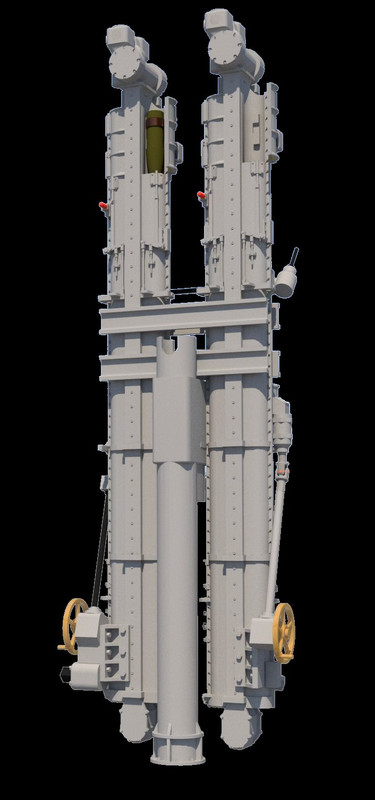
Here’s the finished object Front view:

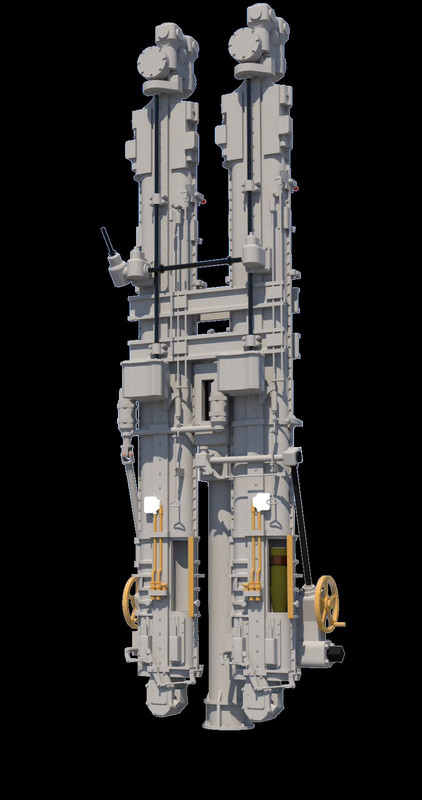
And the rear view:

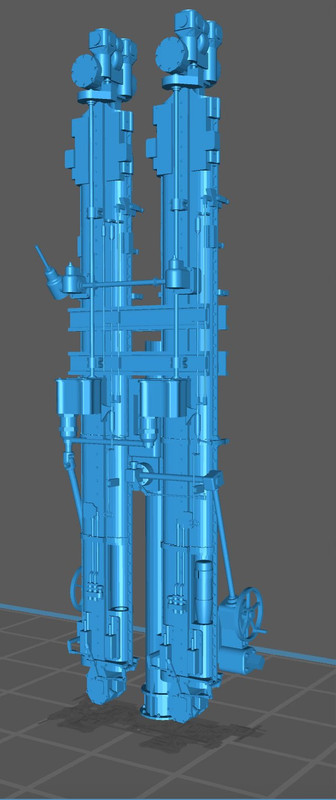
I’m going to attempt to print at least this part of the hoist system as a single part. Here’s the part sitting on the slicer. It seems perfect. Will all of the intricacies print… who can tell. I only know when it’s finished. That’s the fun of 3D printing.

I can now work on the powder hoist part of the system. This should be easier since there is no fuze setting linkage, only a single channel per side, sinpler doors, etc. There is one complication; the chute follows a curve and seems to change diameter.

4 Likes

While it took less time to design the powder hoist portion of this system, it still took 6 days to do it. It is singularly, the most complex SketchUp work I’ve ever done. This still conforms to my goal for each project I take to push the envelope further and keep increasing my skills. It had all the same ambiguous drawings as the projectile side, plus some more complex geometry, little links that had to be ferreted out as to their purpose and destination. And finally, I had to keep imagining how it was going to print and ensure that every surface and every little appendage was fully solid and attached properly to all the other parts so it would print with integrity. When it was all done, I did one final fit into the master turret drawing and found that the powder hoists were spaced about 2" on each side too wide. Luckily, moving them inwards didn’t create any new problems. They have to slip between the main frame rails. I could have trimmed the rails during assembly, but that seemed like cheating.

I incorporated that fully-modeled diamond-plate floor with the hoists to facilitate wrapping the plates around the protruding hoists and to add another piece of structure to keep their spacing.

This view shows the lower portion of the projectile hoist with their respective access doors. I modeled one open with projectile ready to go up to the gun house and the other closed. This is an accurated depiction since its upper doors are open with another projectile ready to be placed in the gun tray.

Those manual handwheels are going to be very delicate. If they don’t hold up when printing with the entire assembly, I’ll print some separately and add them later.

The reverse view shows the powder hoists and the little aspect that pokes through the floor. There is an operating foot pedal that’s also above the floor plates.

I learned how to find and edit materials in the V-Ray rendering engine that’s part of my new SketchUp installation. It’s more complex to operate then my previous add-on renderer, Podium. It’s also more sophisticated, faster (much faster) and does a much better rendering job.

I gave up on the idea of printing this beast in one piece. Instead I designed the two pieces so they will index together during assembly. I did this by adding some more structural steel at the bottom tying the two powder hoists to the central column. While this is not prototypical, I took artistic license to make the model work.

I also split the floor panels and added a lip to align and give purchase to the asembly joint.

Here’s the mess of supports needed to set it up for printing.

It’s on the printer now and will be done after 10pm. I’ll know then whether it’s successful or not. Then I’ll have to figure out how to remove all those supports without wrecking anything. Wish me luck.

This was the last of the really complicated parts on the project. The rest is downhill.

4 Likes

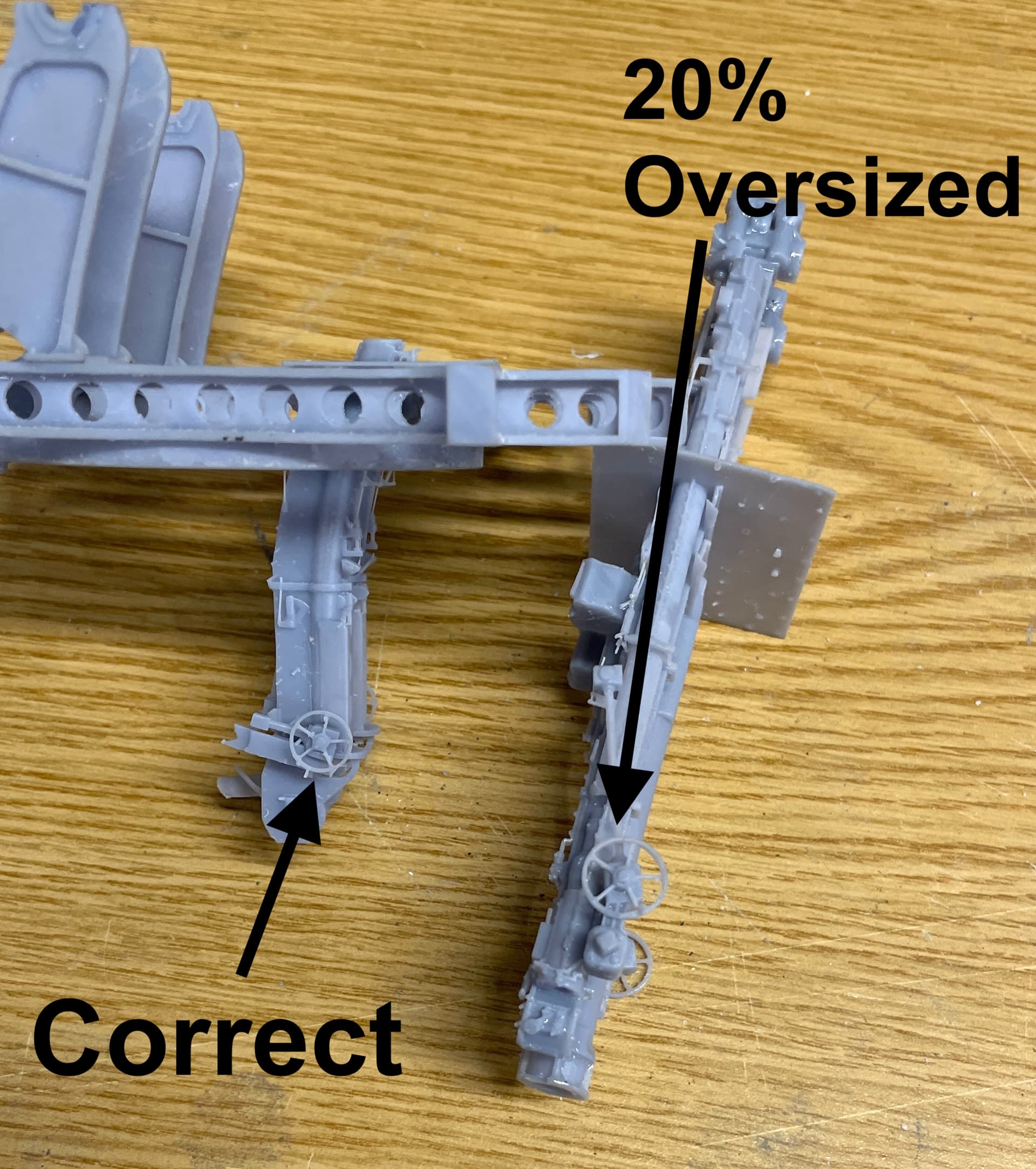
I was able to get good parts for the projectile hoist after three tries. The first, for some reason, came out 20% over-sized. Something occurred when I made the scaling in the slicer. I don’t think it was loading the wrong factor (2.08%), but rather was my entry. I may have double-clutched and got an erroneous value.

It was a shame. It was a pretty nice part.

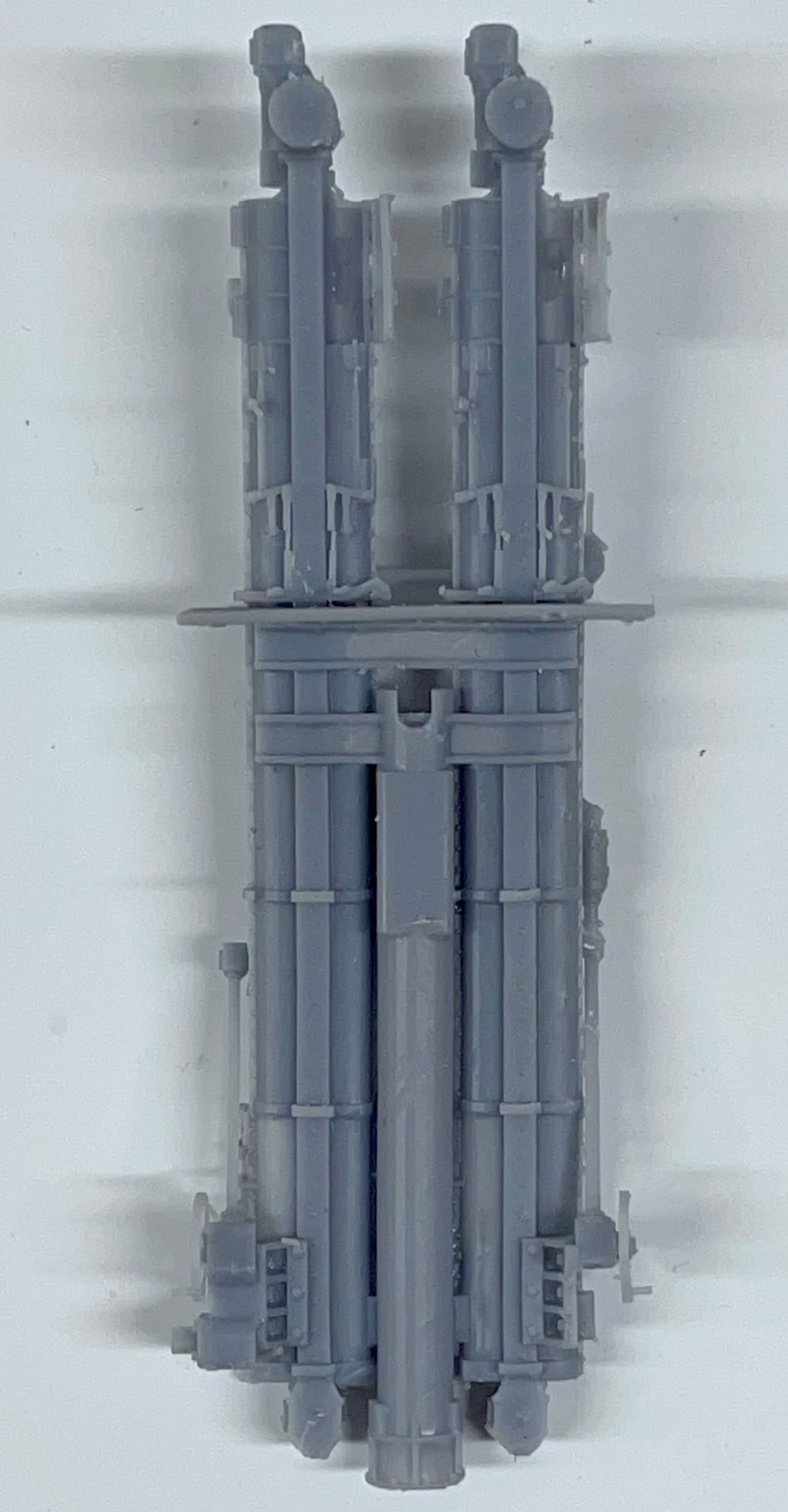
The powder hoist portion was decent, but the control links were too fine being close to scale size. I doubled their thickness, and also increased the floor thickness by 2X to increase its stability and make the diamond plate texture more pronounced.

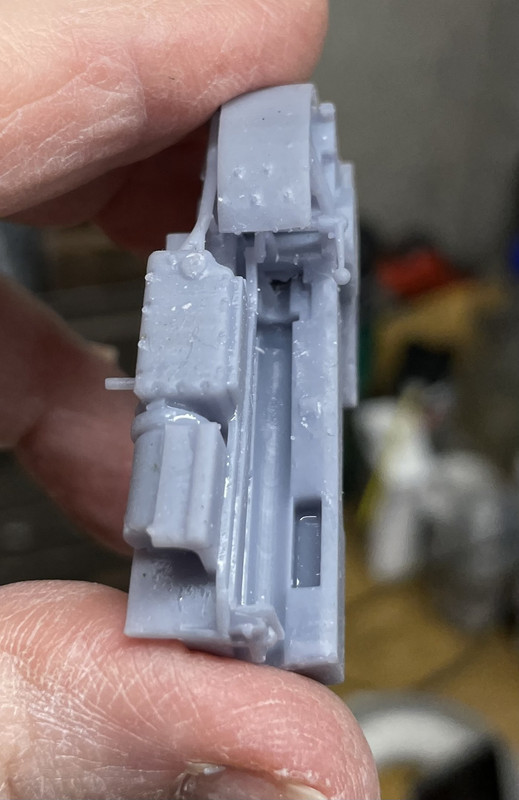
The 2nd projectile print, while correctly sized, needed a lot of repair. I broke one of my cardinal rules: Scale thickness doesn’t always translate well in the 3D printed 1:48 world. I made the columns prototypically hollow with the twin bores extending full length. The resulting wall thickness was so thin that it ruptured all over the place. It was actually translucent. I attempted to rebuild them with Bondic, and while structurally stronger, looked awful.

As with lots of SU projects, fixing is often more difficult than making it right the frist time. And this was no exception. Took about an hour to fill the bores. I also took the time to strengthen some other dubious connections. While doing this I also fixed a lot of drawing stuff like hidden layers that didn’t do anything.

I was rewwarded with a really nice print. I only had to go back and reattached some tiny links and further strengthen the door hinges.

Get a load of those very fine pull handles compared to that #11 blade. I was impressed. I also added some mid-run supports for the long-run link rods so they would have a better chance for printing and after-printing survival.

I had to notch the floor at the front corners to nestle over the gun mount’s rear feet. I was worried that after all this work I couldn’t install them, but if I moved the powder hoist as far aft as it would go, carefully inserting the projectile hoist sideways between the frame rails, I was able to lower it and twist it into position. I did have to relieve the width a bit at the cross-girders to make it a slip fit.

This was, without a doubt, the most complex parts I ever produced, and is the apex of complexity on this model. With it successfully done, I can breathe a bit easier.

I drew and printed the floor pans that sit between the frame rails under each gun. These are sheet metal affairs in the real deal, and have a curved floor that follows the arc of the gun. I made perfect prints. Perfect, but for the fact that they were about 5 scale inches too wide! I used the drawing of the frame rails for sizing assuming that my printed part was the same. For some reason, it is not. I will redraw and reprint. They weren’t the only thing that was too wide for the frames rails. The gun itself was too wide to drop down between the rails. More about this later.

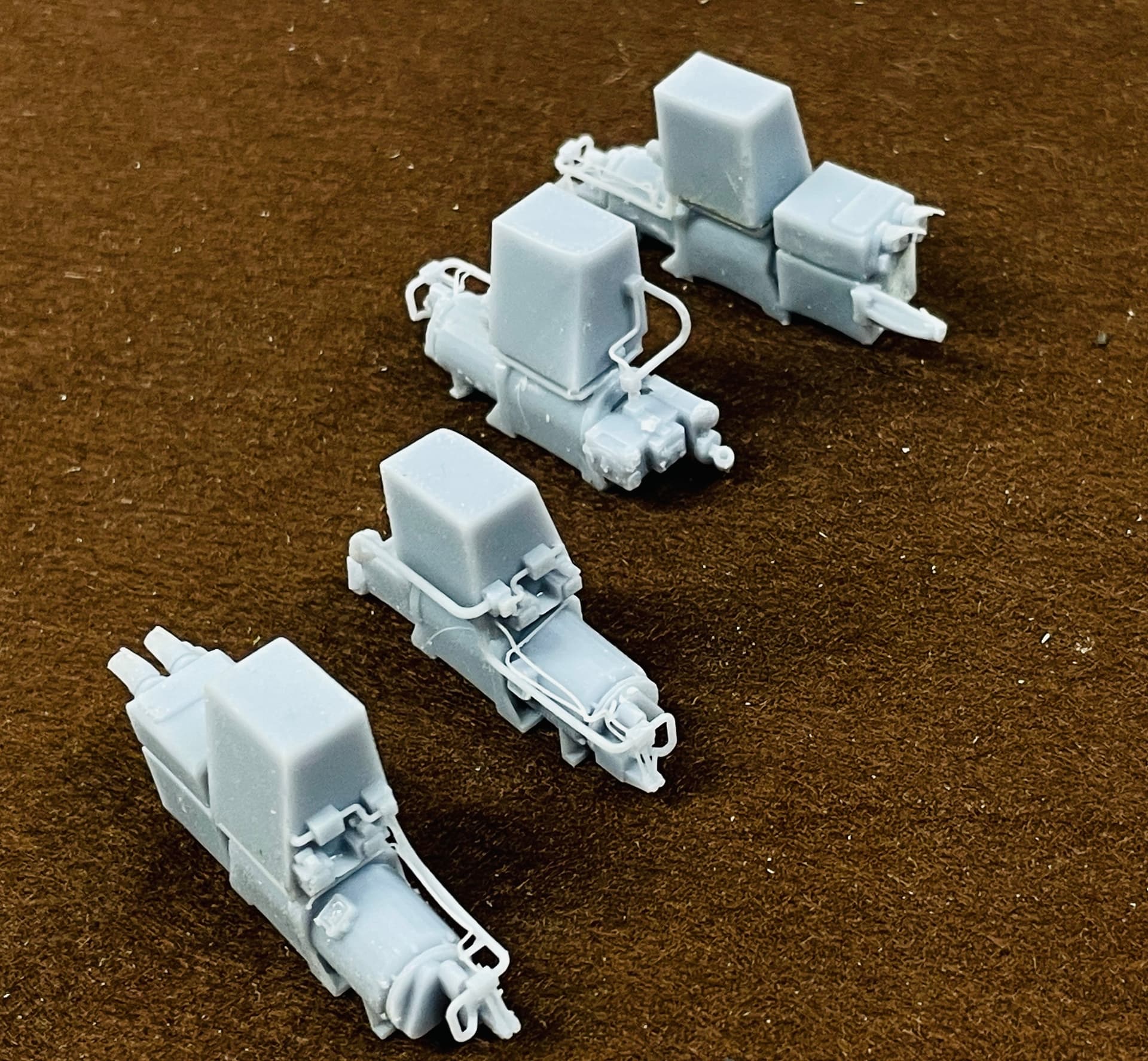
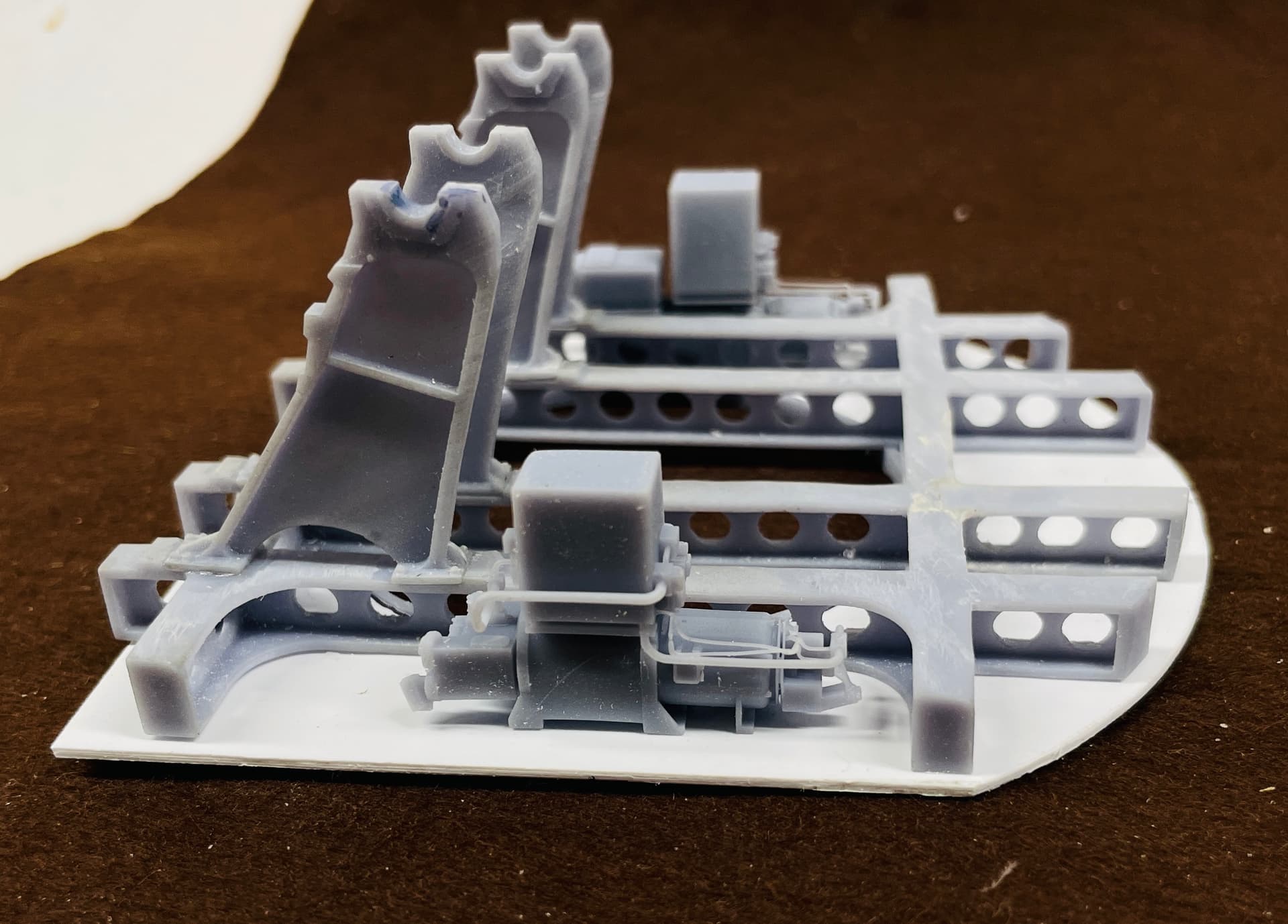
The oil filters and pedestal were easy to draw and print. I drew the tiny hand screws on their caps, not knowing if they’d survive printing and support removal, They did!

I added more stuff and took this image. Starting to get interesting!

About the guns…

I was unhappy with the prints that I had. The entire trough didn’t print well, and the drawings were a mess with lots of hidden layers and voids that lead to print troubles. With the new print settings I was confident that I could do better. The wrong width gave me an excuse to attack it. Like before, making changes can often be more difficult than starting new, but in this case I did sort of a hybrid attempt using some old and some new. Spent all of yesterday afternoon and more time today to get the internal and external geometry right. I have a lot of time to draw as my wife is recuperating from major breast surgery. She had breast cancer 16 years ago, and it came back. The best of bad news is that it appears to be self-contained. She had full diagnostic scans that were all negative and the surgery went well. So we’re very optmistic.

I’m having a lot of SU crashes. Sometimes it occurs when doing tricky things like using BoolTools2 on big complex interfaces, but others occure just when I’ve made a couple on moves. I never lose too much work since I’m doing auto-backups every minute. But it’s annoying!

For some reason, connecting the straight side walls to that compound curved rear panel drove me nuts. I know how to do it, by intersecting the flat into the curves and removing the intersected parts, but it was a lot harder to do than it should have been. The assembly was built from a bunch of geometries that would cause surfaces to disappear unannounced if I erased the wrong line.

This geometry was the worse part. I’m very happy with how the curved trough is now designed and it should print perfectly. I still have a lot of stuff to add on, but I’m not worried about that.
6 Likes

The printed part assemblies look great! Thanks for maintaining this thread.

1 Like

My pleasure!

With the amazing resolution the printer is finally giving me, I decided to redraw the main gun carriages and re-print. I was very unhappy with the malformed loading trough, the broken piping that I had to replace with metal, and the broken and mishapen controls. It took a couple of attempts (as usual) to get a really good print. I’m getting pretty good at predicting when and how big supports need to go, but I still miss a few. I did that in this case. So I did one print in the afternoon and then another repaired drawing version overnight.

Here’s a comparison of the early one done months ago (before the printer adjustment) and the new ones.

Here are looks down the part showing the that critical loading trough. Note: I have not done final finishing on these parts. The nubs you see will be gone before printing. I’m making one gun with the breach open and the other closed. I don’t think you’ll be able to see them in the finished model.

and the old one. In the first iteration the trough was filled with errantly formed resin. I attempted to grind it out and restore the concave apperance. It was barely acceptable. Notice also that I had to reattach the operating lever on the left and reform the ball end out of Bondic. The new ones have perfectly formed levers.

I also redrew and print the floor trough with the curved space for the gun elevation so it would fit acccuately in the between-frame space.

The gun house work is almost complete. I have to do some more work on floors and platforms, and build the sight checkers telescope and mount. I can then start painting and assembling it. I need more info on the ready service room that lies below. I don’t know the floor plan and need direction on what walls get the ammo racks, the circuit boxes, and the access hatch. I also need to know exactly where the upper ends of the powder and projectile hoists lie in the actual space. I had pictures Ryan took of these things, but didn’t specify just how they’re laid out.

With the new exposure setting on my printer, the supports are much stronger (as well as other tiny details) so on these complex parts, my routine is use the “auto-supports” feature with light supports on the entire part. I then go back and selectively delete light supports in places that would experience higher lifting forces and replace them with Heavy supports. In the past I couldn’t trust the light supports. They would break prematurely. With the 3.1 second exposure, they are quite strong and do not break. This really improves both the print success and facilitates cleanup. Most of them can simply be pulled off. I cut them carefully when they’re attached to delicate aspects such as levers and handwheels.

4 Likes