Sorry John, link updated
Thanks for unit tip
WhyDi
Hello,
I’ve just got the result of the latest test on OSX you can see below - screenshot from Helen. It looks good but turns out the very bad news I expected. In fact I disabled - commented - the 201 window.location js file contains then uncommented the only one window.location needed - that one right after “WinLoc first call” message.

I asked my peers for how deeply window:location are buried in the code and that’s why it’s a so bad news.
In the real world it’s nearly not doable to know the way users are going to handle the UI and trying to solve the current issue is merely time lost.
Consequently I now need to find out a global solution. My first thought was to turn the code synchronous. It’s a lot of work of course but looks like a good way to achieve.
What is your take, achievable, bad or good way ?
Is there any other direction?
Regards
did you post that version?
the last I had didn’t do that…
at the end of the day SU decided to resolve the WebDialog cross platform js quirks by switching to Chromium for both platforms…
my ‘safari’ webDialogs have required little change when compared to changes needed for Ruby2.2 which is also new…
3 1/2 years ago Aerilius posted an example for window.location showing the basic difference HERE…
my [unpublished] solution was to treat SU ruby as the server as scot had mentioned in an earlier post in that thread…
w = UI::WebDialog.new("Test")
w.add_action_callback("1"){|dlg, param| puts("first callback"); dlg.execute_script("window.location='skp:2'")}
w.add_action_callback("2"){|dlg, param| puts("second callback")}
w.set_html("<html><body><script>window.location='skp:1'</script></body></html>")
w.show
john
John Hello,
tell me more about SU ruby as the server
No I didn’t. Last Sunday I built several SUalive versions with different constructions then sent each one to a single tester and start having some results. The above belong.
what does tell the version you have?
Thanks for the link to Aerilius post. I have in mind something like and I’m going to study more in depth. I also read the Thomthom reply right under.
@thomthom
May you tell me more, explain or provide an instance?
Have a good day
WhyDi
What I have always done when working with UI::WebDialog is to have an array on the JS that contain the callbacks to be made.
When I make a callback to Ruby from JS I call this bridge function that queue up the call. It will then go about and take the top message on the stack and send it to Ruby. On the Ruby side I call back whenever a message is received. This tells the JS side to keep pumping any messages left on the stack.
SKUI has quite an advanced message pump like this: GitHub - thomthom/SKUI: Ruby wrapper of classes that maps to GUI controls in SketchUp's UI::WebDialogs
It provides Bridge classes on both Ruby and JS to handle the communication - additionally it convert basic types.
I’ve wanted to extract this message pump into something that can be plugged into any webdialog - but alas… time.
Hello,
Here are my first feelings after studying Aerilius code and ThomThom way.
Aerilius class is near my first thought and makes me aware of timer usage limits in the context of 201 window.location inside SUalive. It’s likely to raise issues like the user feeling UI freezing and no doubt a slow down I’m not able to foresee. As far as practicable I would prefer avoiding timers.
I’m not sure I clearly understand ThomThom code as I know nothing about JQuery and JSON. I assume JSON stands for js object notation which is probably pretty easy to handle but I really dislike JQuery syntax. Adding such new syntax to SUalive is not an option. I really think the more code layers the more bugs.
Anyway calling javascript from ruby to release next command looks better than timer wait. Not clear to my mind how to implement but this way leaves me a good impression.
Both are using a pile to stack ruby calls or perhaps js function and even js code? looks good but not sure such stack can be inserted into SUalive code. I have to deal with three heavy constraints.
1 - SUalive code could be modified but not revamped or rewritten.
2 - No new language or sub layer for above reason
3 - Code has to go through vsJammer - bdpq for those having a glance to code.
Waiting for John way…
Have a good Day
WhyDi
Hello,
After a new week-end of study it looks like things are gathering on my mind. Thanks to John and its inspector that triggered the process from the null error at load-time and also his links. Thanks to ThomThom and its posts on the subject.
But there is so much work to do than I would like you to confirm or correct my new-found sense of confidence before I dive into code.
So window.location has no bug on OSX as I read somewhere and ruby callback never reached is merely the consequence of asynchronous code which may raise issues on javascript code and ruby callback as well. In fact window.location = skp:something@ are not meant to stack but javascript code may follow window.location provided that asyncronous.
Please tell me your take about that. Feel free to correct even details. After that I have so many hours of work that I need to feel as self-confident as I could.
Regards
WhyDi
Hello,
You showed me the way so I guess you may like having a look at my first trial. In short I moved the conditionals from js to ruby and expect tab contents to show correctly. On the other hand I replaced ruby set_size with js resizeTo but I’m not able to check anything on windows. So It may work or not! here is an animated .gif showing how tabs work on Windows. Do you get same result on OSX ?
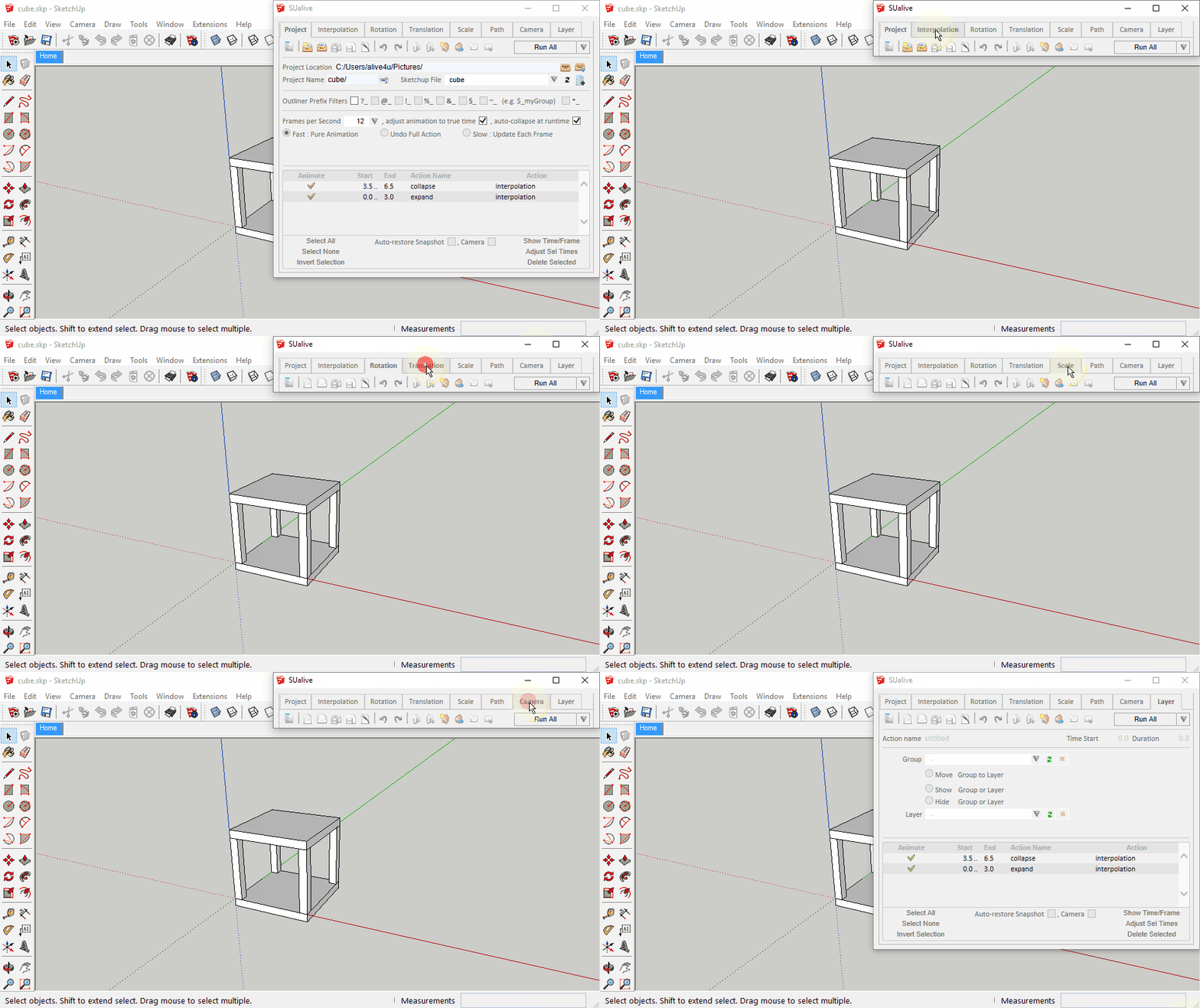
I did not change anything regarding main window resize - meaning set_size making the job. Here I expect window resize not from the top but from the bottom on OSX - following animated gif. May you confirm?

this version has a specific link I’m going to message you. My apology! I missed to turn on context menu.
Have a good week-end
the collapse works on the tabs but not on the window size choices…
also no data or RC messages from Layer click…

john
Hi John,
Thank you very much
perfectly matches my expectations.
but no timeline list and refresh button seems buggy!
Have a good day
WhyDi
Hello John,
Refresh button bug looks a bit tricky and I don’t understand about timeline.
Did you see the two actions ‘collapse’ and ‘expand’ at load time under ‘Project’ tab?
So I put it aside and worked on Workspace - easier to handle - which also features screen coordinates. All js window:location removed then replaced .get_element_value on ruby side. The following gif animations show what Workspace does.
And first the default - meaning SketchUp makes the job. SUalive does nothing. It’s just a basis of comparison for the two next gifs.

Then auto SUalive sub-windows location - meaning sub-window location related to SUalive main window.

And finally Workspace saving - meaning always stand the same location when SUalive loaded whatever sub-window moves along session.

My main concern is about sub-window Y location on OSX. Is it going to work? Far enough for the week-end. I get tired but didn’t forget enabling context menu!
I message you a new link as we are v2.32 since last Friday - educational version. So you are going to see License dialog.
Regards
Hello John,
Very tricky bug with no involved window.location!
after a good night of sleep I turned aware the bug you raised could prevent the workspace test from being done. So I updated your link -…339…- with a version not able to auto-load previous project. SUalive has two ways of project loading and this one is more likely secure on Mac.
Have a look at the below animated gif. Please if you do not see all highlighted texts do not go further. Note your version has no messagebox.

Regards
closer
the file loading didn’t really work and no alerts…
when I go to the file, I can’t select the directory, it has to be a file…
I had to select the SUalive.ydprj, but that doesn’t bring in the model, so I then had to refresh as well…

john
sometimes a single word is a warmth in my heart
You may bring the model at project load time by checking
“FromLeftMenu Preference/Project/Auto-load SketchUp model with project”
but this way could lead to the bug you raised and I would prefer you to keep separating the two actions at least along this bug.
The OpenProject filebox filenname field shows the name “SUalive.ydprj” on Windows as you may see above but I don’t see that same field on your OSX file name. Where is it?
SUalive use the UI.openpanel method like following
return_file = UI.openpanel(“Open Project”, var_project_location, “SUalive.ydprj”)
Looks this does not work. What is the right way on the Mac?
Hello John,
SU15 and greater I replaced openpanel() with directory_select() as shown below. So no longer need to select project file. SU8…SU14 keep openpanel() method. Good enough for you?

Back to the bug previous project load. The Ruby console is meant to tell us where things go wrong but the test should be done as follow due to a main module scope variable - animated gif below. in short
1 - with cube project shown - no need to load the model.
2 - check MenuLeft Preference/Project/auto-load previous session project.
3 - click OK then quit SUalive and SketchUp as well
4 - reload SketchUp and show Ruby console then run SUalive
This way you should no see ‘Collapse’ and ‘expand’ in bottom timeline.
May you show me what your console tells us?

here is Windows Output
   with previous project
     with project read
        model name cube
     end with
     with file list
     full filename C:/Users/alive4u/pictures/cube/cube.skp
     exists? true
     with data fill
        group number 1
        shot  number 2
        work  number 2
        task  number 2
        tmln  number 2
     end with
     goes out init
     with project to javascript
        str len 133
     end with
     with toolbar to javascript
        str len 46
     end with
     Windows
     Timeline? false
     with timeline to javascript
        str len 2881
     end with
     bool watch false
end with
link updated with some delay!
Best Regards
with previous project
   with project read
      model name cubeV8
   end with
   with file list
   full filename /Users/johns_iMac/Documents/su_alive_beta/cube/cubeV8.skp
   exists? true
   with data fill
      group number 0
      shot  number 2
      work  number 2
      task  number 2
      tmln  number 2
   end with
   goes out init
   with project to javascript
      str len 142
   end with
   with toolbar to javascript
      str len 46
   end with
   Mac OSX
   Timeline? false
   with timeline to javascript
      str len 2905
   end with
   bool watch false
end with
it doesn’t ‘open’ the cubeV8.skp which I was expecting…
it also modifies other open models, generating a unwanted save dialog on close… [SU is ‘multi document’ on mac]
john
Both outputs perfectly match. So the issue is likely to be multi-document feature
No it doesn’t. Prefrence/Project/‘auto-load model’ must also be checked to achieve but fortunately you didn’t do!
Not sure I get a full understanding of what you tell me. I’m going to rephrase it for the sake of clarity. Please correct if needed.
So SketchUp on Mac is multi-document which means more than one model opened in a single session of SketchUp whereas Windows version may open several documents but each one in separated SketchUp.
…other open documents…
SUalive read and check current model at load time. No issue on Windows as SUalive read a single document. On the Mac it looks like SUalive reads and checks all documents. That check generates the unwanted save dialog at model close time.
Is there any way to only read to the current model shown on Mac?
Other ways to achieve the same purpose?
I had tried that and it still fails to load the required skp file…
it is ‘modifying’ the current model, but that’s not necessarily what you want…
I open SU on a new un-saved empty skp, which is my default…
if I click on SUalive, in Extensions and immediately cancel the WebDialog…
when I try to quit SU, I get a Save dialog…
if I don’t cancel, but load an animation skp and run it…
when I try to quit SU, I get two Save dialogs…
one for each of the open documents…
to avoid this happening you need to confirm it is a Project skp and that it has been actually modified…
I honesty, I should be able to open and run the animation, without getting the save dialog as happens to running a native animation…
from your gif’s it looks like the Win version modifies the model as well…
john
Thanks for details. I am relieved to learn only current model modified!
Logical bug (default values vs current project). I contacted the developer in charge who is going to solve the issue.
Just the result of a not good not bad decision. I explain. Out of Free version you may store more than one model in project folder. The same way you may want to animate a tmp copy of your project - named the way you want to and stored anywhere out of project folder. This leads us to read and check all opened models in a flexibility perspective. The other side is what you have just experienced. Current model modified where not necessary. With that said we could :
1 - keep the current way - read all
2 - read and check only model matching ‘Project’ tab “SketchUp File” field
3 - perhaps adding a parameter in ‘Project’ tab
4 - any other way you may provide?
what do you think of that?
what do you mean by ‘read’?
I don’t understand how ‘reading’ all files, makes the active model ‘modified’…
are you adding an observer?
john