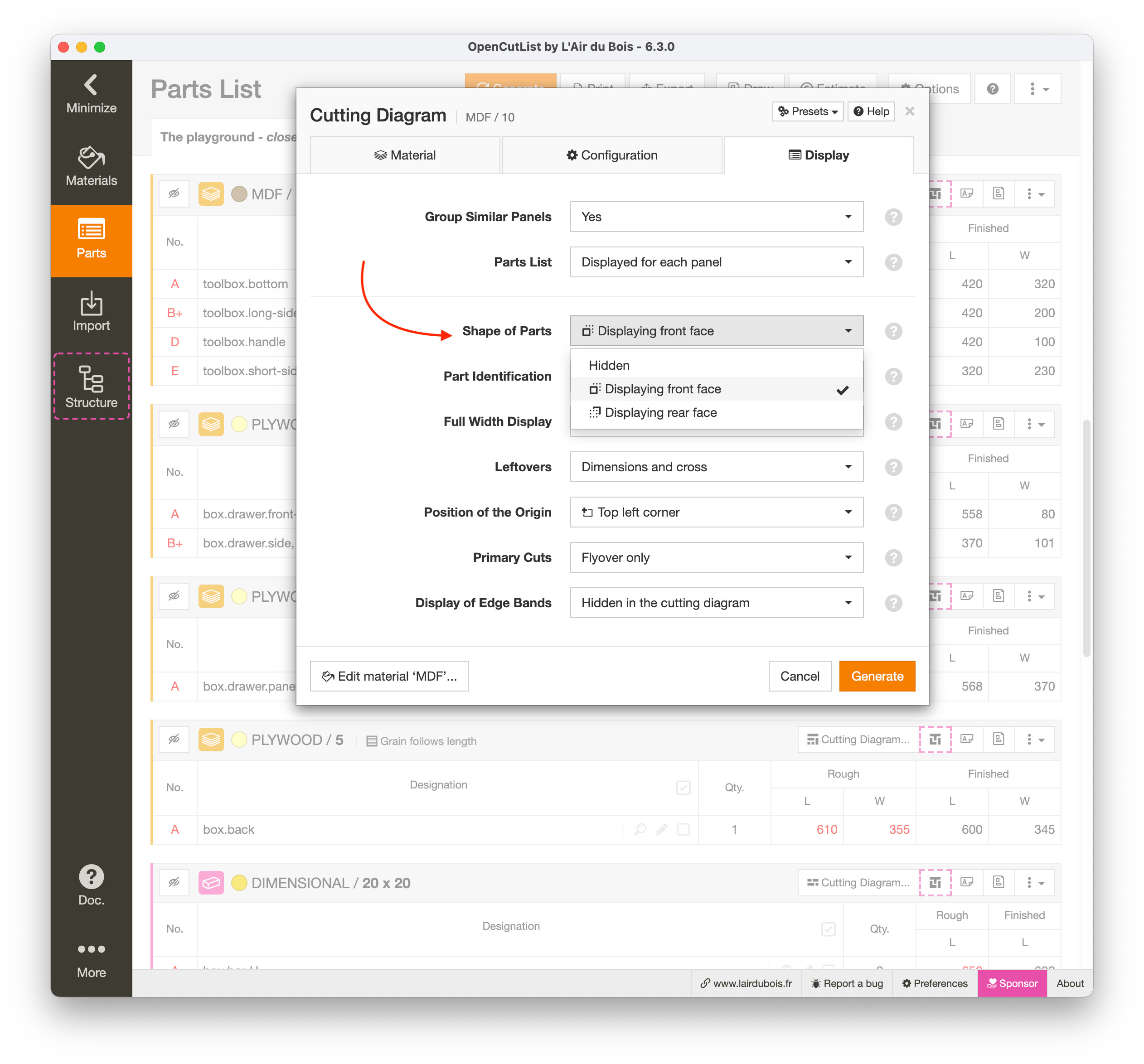
Hello @DavidGlover,
From Cutting diagrams, check this box :
Hello and thanks for the reply
Can you show me how to get to this window as I can’t see it! (Sorry new to OCL)
Also I tried to export to dxf a plinth base which is curved at both ends, but it’s coming out as a basic rectangle- is that because OCL is for table saws rather than CNC?
I would like to be able to export our components as dxf with a label on so when they go to our CNC program we can see what each part is
Thanks in advance
Can you share a capture of this component ?
If you export component One by One from parts list, it’s not possible to have the part name inside the exported DXF.
Name over parts in DXF is only possible if you click on the Export button from a generated Cutting diagram window.
THanks
Please see attached screen shots - I assume as it has a curve it cannot be exported via the cutting diagram?
If we export from the parts list - can it have the part number on it?
Davuid
Thanks this is really helpful
Is there a way to flip a panel if its selected the wrong face eg our face has housing joins and rebates but its selected the other face
Thanks
Use this tool :
Or simply swap component axes.
Thanks I am getting there!
Could you explain : I have drill holes in the faces, and I can see them on the generated drawing, but they dont come through to a DXF export?
Caution, this part is composed of sub-parts present in 2 different layers or tags:
Shelf Holes, Untagged